7 concepts18 worked examples27 exercises4 exam-level7 figures
What are you here for?
04 Functions, Scoping, and Abstraction (Chapter 4)
Start with this
One question before you read anything. Getting it wrong is the point: it shows you what this section is for.
§04.0 — walking the digits of a number
Before a can be written for this job, the loop that does it has to be readable. Nothing is typed in while this runs.
n = 4073
total = 0while n > 0:
total = total + n % 10
n = n // 10print(total)
Find(a) Write exactly what this prints.
Given
The starting value is 4073.
Floor division by 10 removes the rightmost digit; the remainder on division by 10 is that digit.
IPython console
In [1]: %run untitled0.py
The digits 4, 0, 7 and 3 add up to 14. The zero costs a pass without changing the total, which is worth noticing: the number of passes is the number of digits, not the number of non zero ones.
Hint 1/4
You are asked for a printed value, so trace rather than reason about digit sums in general. Two columns, n and total, one row per pass.
Hint 2/4
Each pass does two things: total gains n % 10, then n loses its rightmost digit through n = n // 10. The condition is asked again before every pass.
Hint 3/4
Starting from n = 4073 and total = 0: the passes give total 3, then 10, then 10, then 14, while n goes 407, 40, 4, 0.
Hint 4/4
The four digits of 4073 add up to 14, so it prints 14.
The remainder is the rightmost digit and floor division is what removes it, so the two lines together are one digit consumed.
$$\texttt{total = 3 + 7 = 10},\;\texttt{n = 40}$$
Second pass. The digits arrive in reverse order, which does not matter because addition does not care.
$$\texttt{total = 10 + 0 = 10},\;\texttt{n = 4}$$
A zero digit still takes a pass. Skipping it in your head is the usual way to lose a digit further down.
$$\texttt{total = 10 + 4 = 14},\;\texttt{n = 0}$$
Now the condition n > 0 fails and the loop stops with the total at 14.
Answer $$\boxed{\texttt{14}}$$
Check
Add the digits in the other direction: 4 plus 0 plus 7 plus 3 is 14. Also, four passes happened and 4073 has four digits, which is the check that catches a lost pass.
What this looks like in Spyder
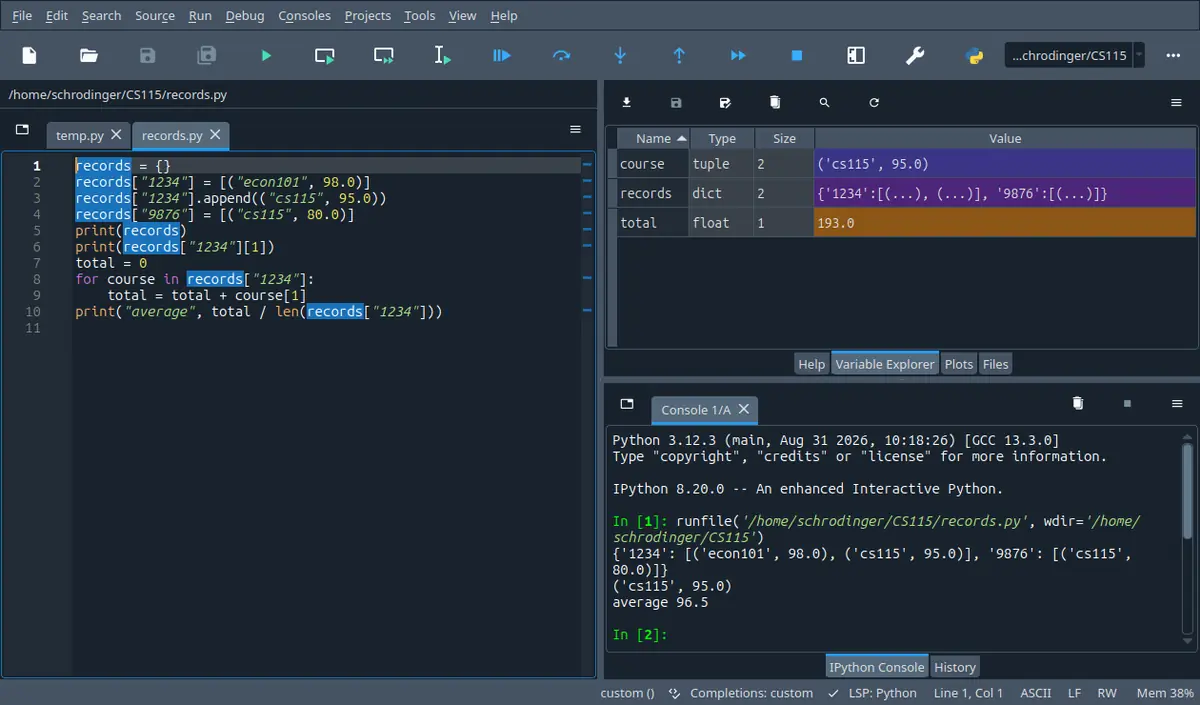
The tab next to Help. It lists every name your program left behind with its type and its size, so it answers the one question a listing cannot: what is in this name right now. The stepper on this page shows the same four columns.
Spyder 5.5.1 on Linux, running the program in its own editor. A different version moves a few toolbar icons; the panes are named the same.
A program that prices three orders works, and the tutor asks for one change: the bulk discount goes from 10 per cent to 15. The student edits the number, runs it again, and two of the three orders are right. The third is quietly wrong, because the rule was written out three times and only two of them were found.
By the end of this section you can take any short program built from this week's material and write down what it prints, character by character, including the word where a handed nothing back; and you can take a lab question written as a list of named jobs and turn it into that many functions with their headers, their returns and their , from a blank file.
In 60 seconds
A function is a name for a piece of work, plus a written promise about what it needs and what it hands back. This section is about four things: how to write that name, what the interpreter does when the name is called, which names exist while the call is running, and why a call that prints its answer is not the same as a call that returns it.
When most callers want the same value for one parameter. Parameters with a default are optional and have to come after the required ones.
Three most common mistakes
Printing the answer inside the function and then using the call as a value. The screen looks right, the caller holds None, and the line after it stops with a TypeError.
Assigning to a module level name inside a body and expecting the outside value to move. It does not; either the name becomes local or the program stops before the assignment even happens.
Writing the loop and the return in the wrong order, so a function that should look at every digit returns True or False on the first one. The program runs, the answer is wrong for exactly the inputs that matter.
Labs are 20 per cent of the course mark, the midterm 40 and the final 40. On the one past midterm paper that was read while writing this page, three of the four questions began with the words write a function and together carried 70 of the 100 marks, and the fourth, worth 30, was nothing but short programs to be traced by hand, one part of which turned on a function used as the of a parameter. That is a single paper, not a rule, but the shape is hard to miss: from this week on, the unit of an answer is a function with a header you chose.
How much time do you have?
10 minutes
The two facts that decide most of the marks: what the caller holds when the body only printed, and which names a body can read as against which it can change. With these two you can answer a tracing part and you will stop writing the None bug.
The 60-second card · return hands a value back, print only shows it · Every call opens a new set of names · Formula card
45 minutes
Everything that turns into a lab answer: writing a header, returning rather than printing, the a call opens, and the three ways an argument can reach a parameter. This is the whole of the functions lab and most of a tracing question.
The 60-second card · One name for a piece of work, and why the name is the point · The four things a call does, in order · return hands a value back, print only shows it · Every call opens a new set of names · Three ways an argument reaches a parameter · Scaffolding comes off · B · computation
full read
Adds the two parts the exam likes and the lecture spends time on: a function used as a value, which is what a default of int or abs means, and the written contract that turns three separate functions into one answer where each part is allowed to trust the others.
The 60-second card · Recall first · Conventions · One name for a piece of work, and why the name is the point · The four things a call does, in order · return hands a value back, print only shows it · Every call opens a new set of names · Three ways an argument reaches a parameter · A function name without brackets is a value · The docstring is the contract, and the split is the answer · Method boxes · Look-alike pairs · Scaffolding comes off · Full exam-style question · A · concept · B · computation · C · exam level · D · interleaved · Mistake ledger · Formula card · Check yourself
By the end of this section
Replace a block that appears more than once with one function and its calls, and say how many places a change to the rule then has to touch.
Trace the four things a call does, in order, and say what is on the screen before, during and after it, including the case where one call is an argument of another.
Distinguish a function that returns a value from one that prints it, and give what the caller holds in each case, including when the answer is None.
Decide for every name in a function body whether it is local or read from the module level, draw the frame the call opens, and say what the caller's own names look like after the call returns.
Bind actual parameters to formal ones for positional, keyword and default calls, and name the two calls the interpreter refuses to accept at all.
Use a function as a value: store it in a name, hand it to another function, put it in a default, return it from a call, and predict the output in each case.
Split a lab sized question into functions with written contracts, write the docstring that states what each one assumes and returns, and make the later function use the earlier one rather than repeat it.
Syllabus coverage
covered
Functions — covered
Defining a function with def
the header as a contract
formal against actual parameters
calling from a script or from another function
the return statement and what comes back when there is none
default values
a function used as a value that can be stored
passed
defaulted and returned
covered
Scoping — covered
The frame a call opens, formal parameters as new , the rule that an assignment anywhere in a body makes that name local for the whole body, reading a module level name from inside a function, what the caller's names look like after the call, and a name defined inside one call not existing in the next.
covered
Abstraction — covered
Why the name is the point: one rule in one place, a caller that only needs the header, a job named once and reused with a parameter instead of copied, and the of a lab question into functions each of which can be checked on its own.
covered
Chapter 4 — covered
The half of the chapter that this week's material covers
functions
scoping and
with written as docstrings
The syllabus names this chapter for two weeks running. This section takes functions, scoping and abstraction; global variables, modules and files belong to the next section. Nothing here uses them: no solution on this page carries a global declaration and no program opens a file.
Recall first
while and for with range
A counted loop is for i in range(a, b, c): and it gives a, then a plus c, and so on while the value is still below b. A conditional loop is while test: and it needs a set up above it, a test, and a change to what the test reads inside the indented block.
Every function on this page that looks at all the digits of a number or all the characters of a word has a loop in its body. The new part is only where the answer goes when the loop finishes.
Floor division and remainder
For whole numbers, n // 10 throws away the rightmost digit and n % 10 is that digit. Repeating the two until n reaches 0 walks a number digit by digit, from the right.
The used all through this section, the one that adds up the digits of a number, is exactly these two lines inside a while loop.
Indexing, slicing and find on a string
s[i] is one character, s[a:b] is the characters from a up to but not including b, and s.find(ch) is the position of the first ch or -1 when there is none. len(s) is how many characters there are.
The functions that read a time written as HH:MM find the colon and then slice on either side of it. Nothing else about strings is new here.
The conversions and the small built in calls
int(x), float(x) and str(x) make a new value of that type; round(x) gives the nearest whole number, abs(x) drops a minus sign, len(x) counts. format(value, '.2f') makes a string with two decimal places.
These are the functions you already call. Half of this section is the observation that your own functions are the same kind of thing, and one worked example puts int, abs and round into a parameter.
A chain of tests
if, then elif as many times as needed, then an optional else: exactly one of the blocks runs, and the first test that is true wins, so the order of the tests is part of the logic.
Several functions here answer with one of three or four strings, and the band they give back depends on the order of the tests exactly as it did before.
Guess and check
To find a value that satisfies a condition when no formula gives it, step a guess forward in small increments inside a while loop and stop when the condition is met; the number of passes is itself often the answer.
One interleaved question wraps that loop in a function so that the count of passes can be returned rather than printed, which is the whole difference this week makes to the numerical programs of the section before.
Floats are not exact
A decimal fraction such as 0.1 has no exact binary form, so 0.1 + 0.2 is 0.30000000000000004 and comparing two floats with == can be False when the arithmetic says it should be True.
A function that returns a float can hand back something that looks odd on the screen, and one worked example on this page does exactly that. It is the float, not the function, that is behaving.
Try it yourself first (2 questions)
1§04.0 — cutting a fixed shape string at the colon
Two of the functions in this section read a time written as HH:MM. This is the string work they are built on.
Find(a) Write the four lines this prints, in order.
Given
The string is '07:45', five characters long.
find gives the position of the first match, counting from 0, and -1 when there is no match.
IPython console
In [1]: %run untitled0.py
The third line prints 45 and not 45 as a number: both look the same on screen, and the difference only shows on the last line, where int(...) is needed before the multiplication. A leading zero survives in the string '07' and disappears the moment int is applied, which is why the hour prints as 07 here and as 7 in the worked examples later.
Hint 1/4
Every line here is one slice or one conversion, so the work is to say what each slice contains, not to compute a time.
Hint 2/4
s[:k] is everything before position k and s[k+1:] is everything after it. A slice of a string is a string, so the multiplication on the last line needs the int around it.
Hint 3/4
The string is '07:45' and the colon sits at position 2, so clock[:2] is '07' and clock[3:] is '45'.
Hint 4/4
It prints 2, then 07, then 45, then 420.
Show solution
Locate the separator once
$$\texttt{clock.find(':') = 2}$$
Positions count from 0, so the two digits of the hour sit at 0 and 1 and the colon is the third character.
$$\texttt{clock[:2] = '07'}$$
A slice that leaves the start out begins at 0 and stops before the colon, so the separator is not part of either piece.
Convert only where arithmetic starts
$$\texttt{clock[3:] = '45'}$$
Leaving the stop out means to the end. The plus one is what steps over the colon itself.
$$\texttt{int('07') * 60 = 420}$$
The conversion belongs at the point where the value stops being text and starts being a number of minutes.
Seven hours is 420 minutes because 7 times 6 is 42 and a zero follows. The two pieces also have to account for all five characters: two digits, the colon, two digits.
2§04.0 — what two floats add up to
This one is a trap, and being caught by it costs nothing here. Several functions in this section return a float, so it is worth finding out now what a float looks like when it comes back.
round(x, 2) gives x rounded to two decimal places.
IPython console
In [1]: %run untitled0.py
The first line is the honest value, the second is the usual shock, and the third is the usual fix. The reason this matters from now on: when a function of yours returns a float and the printed answer has a tail of digits on it, the function is not broken and neither is the arithmetic. The comparison is what needs to be written differently.
Hint 1/4
Write down what you expect before reading on, then ask whether a tenth can be written exactly in binary, the way a third cannot be written exactly in decimal.
Hint 2/4
A float keeps about seventeen significant digits of a binary fraction. 0.1 and 0.2 are both stored slightly off, and the error survives the addition.
Hint 3/4
The values here are 0.1 and 0.2, and their sum prints as 0.30000000000000004, which is not the same object as the float 0.3.
Hint 4/4
It prints 0.30000000000000004, then False, then True.
Show solution
Read the stored value rather than the written one
$$\texttt{0.1 + 0.2 = 0.30000000000000004}$$
Both operands are already rounded to the nearest binary fraction before the addition happens, so the result is the nearest float to a slightly wrong sum.
Check the direction of the error: the printed value is larger than 0.3, so total > 0.3 is True, which is a second way to see that the two are not equal.
Notation
symbol
reads as
means
watch out
$\texttt{def name(p1, p2):}$
def name of p1 and p2
The header. It creates the name and states how many values a caller has to supply and in what order. The indented block under it is the body and does not run yet.
The colon and the indentation are part of it. The def line itself runs when the file is read; the body runs only when the name is called.
$\texttt{p1},\ \texttt{p2}$
the formal parameters
Names that exist only inside the body. They get their values at the moment of the call, from the actual parameters.
They are local. Changing p1 inside the body never changes the caller's name, even when the two names are spelled the same.
$\texttt{name(a, b)}$
call name with a and b
The call. a and b are the actual parameters, worked out first and then bound to p1 and p2 in that order.
The brackets are what make it a call. Without them the name is just the function itself, which is a value like any other.
$\texttt{return v}$
return v
Stop the body here and hand v back to the line that called. The value of the call expression becomes v.
Only one return ever runs in one call. Anything written after the return that runs is unreachable, and a return inside a loop leaves the function, not just the loop.
$\texttt{None}$
none
The single value that means no value. A call whose body finished without a return hands this back.
It prints as the four letters None, which is easy to read as a string. None + 1 stops the program with a TypeError.
$\texttt{p=value}\;\text{in a header}$
p defaults to value
A default. The parameter becomes optional, and a caller that leaves it out gets this value.
Required parameters come first in the header. The default expression is worked out once, when the def line runs, not at each call.
$\texttt{name(p=value)}\;\text{in a call}$
call name with p set to value
A keyword argument. The value goes to the parameter with that name, whatever position it is written in.
Keyword arguments may be in any order among themselves, but no may follow one. That is refused before the program starts.
$\texttt{f}\;\text{against}\;\texttt{f()}$
f, against f called
The first is the itself, which can be stored in a name, handed to another function or returned. The second runs it and is whatever it handed back.
Printing the first gives a line about a function object with an address in it, which is the usual sign that a pair of brackets is missing.
$\texttt{"""...."""}$
the docstring
A string written as the first thing in the body. By convention it states what the function assumes about its parameters and what it returns.
It is documentation, not a check. A docstring saying assumes n is positive does not stop anyone passing -3.
Conventions used here
Every output on this page came out of an interpreter.
No block of output here was predicted by eye. Each program was run and the characters it wrote were copied in, which is why a few of them are uglier than a textbook would print: a sum that comes out as 0.30000000000000004, a line that says None where an answer was expected, a run that stops with an error message. Where a program cannot finish, the screen is shown with its error, and the file name in the traceback is the name the program is given in the text.
The whole value of a page about functions is that the printed answer is exactly right, so the page cannot itself be guessing.
What this page is allowed to use, and what it waits for.
Everything here is built from what the course has covered by the end of this week: numbers, text, True and False, input, print, if, elif, else, while, for, range, break, the string operations from the section before, and from now on def and return. Lists, tuples, dictionaries, files, modules of your own and the global declaration all arrive in later sections and none of them appears here, not even in a solution that would be shorter with them.
A solution that reaches forward teaches you to write something the lab of this week will not accept, and the lab sheet says in as many words that only material covered in the course may be used.
Names are written with underscores here, and the course uses both styles.
Function names on this page are lower case with underscores between words, as in digit_sum and minutes_between. The course's own material uses that style in some places and runs the words together with capitals in others, as in checkPrime and isDelectable. Both are accepted; what is not accepted is changing style inside one answer, because then a reader cannot guess the name of your second function from the first.
You will be reading the course's names and writing your own in the same file, so it is worth knowing that the difference is cosmetic.
Docstrings on this page follow one shape.
Every function written out in full here carries a docstring whose first line or two say what is assumed about the parameters and whose last line says what is returned. The lab sheet asks for a slightly fuller layout, with the parameters and the return type on separate labelled lines. Either satisfies the same requirement, which is that a reader can use the function without reading its body.
A docstring is the only part of a function that a marker can check against your code without running it, and it is asked for explicitly in the lab.
How a frame is drawn in the figures.
A frame is drawn as a box with one row per name. The arrow from a name to a value means that name refers to that value. Two boxes side by side are the module level names on the left and the names of the running call on the right; the right box exists only while that call is running and is thrown away when it returns. Colours keep their meaning all through the section: blue for what is given or read, orange for what is asked for or handed back, grey for the scaffolding around them.
The figures are read against each other, so a box has to mean the same thing on the last figure as it did on the first.
A function that prints and a function that returns are called different things here.
When the text says a function reports or displays something, its body contains a print and the call hands back None. When the text says a function gives back or returns something, the call is a value you can put in a name or in an expression. Where a function does both, the text says so. The one word answer to what does this call hand back is never left to be guessed from the name.
The commonest lost mark in this chapter is the one where the screen shows the right answer and the caller holds None, so the two cases are kept verbally apart.
4.1One name for a piece of work, and why the name is the point
A function lets a rule live in one place, so changing it is one edit rather than a search.
Everything so far ran from the top of the file to the bottom, once. The moment a program has to do the same job twice, that shape starts costing marks.
Solvable with what we have
Read values in, test them, loop over them and print a line in the format asked for.
Follow a program line by line and say what it prints.
Not solvable yet
Do one job at three points of a program without writing it three times.
Change one rule and be sure every place that used it changed too.
Test one part on its own, without running the whole thing.
Answer a question that begins with the words write a function.
The obvious move is to copy the block. These four lines appear three times in the pricing program, once per order, with only the price and the count different.
total = price * count
if total > 500:
total = total * 0.90print('Order 1:', format(total, '.2f'))
Then the discount becomes 15 per cent, and two of the three copies are found.
Why it fails
Order 1 falls from 648.00 to 612.00, so the edit worked. Order 3 still prints 1080.00, the old rule, and nothing on the screen says so. The program did not break; it started charging one customer the wrong price. The copy's real cost is that the rule has no single home, so nobody can check it.
DefinitionDefinition 4.1: a function and its contract
Conditions
The header names the function and lists the formal parameters, which are the values a caller has to supply.
The body is the indented block under the header. It does not run when the def line is read; it runs on a call.
The docstring, written as the first thing in the body, is the promise: what the function assumes about its parameters, and what it hands back.
A caller needs the header and the docstring. Whether the body uses a while loop or a for loop is not the caller's business, and that is the part being bought.
$$\boxed{\texttt{def name(p1, p2):}\;\text{body}\;\Longrightarrow\;\text{one rule, one place}}$$
Give a piece of work a name and say what it needs and what it gives back. From then on the rest of the program asks for it by name, and the work itself is written once.
The same discount rule on the left and on the right. On the left it has three homes and a change has to find all three, which is what went wrong in the opening story. On the right the rule has one home and the three calls do not contain it at all, so a change is one edit and cannot be half done.
Looks like this, but is not
This has def, a body and calls, so it looks like the fix.
It takes nothing and gives nothing back, so it can only ever produce the one answer written inside it. Naming a constant is not abstraction: the test is whether a second caller with different numbers can use it, and here none can.
Pricing three orders with the discount written once
Here are the two runs the story is about, and then the same job written so that the change cannot be half finished. First the copied version, with the discount at 10 per cent:
# orders.py
price = 240.0
count = 3
total = price * count
if total > 500:
total = total * 0.90print('Order 1:', format(total, '.2f'))
price = 89.5
count = 2
total = price * count
if total > 500:
total = total * 0.90print('Order 2:', format(total, '.2f'))
price = 1200.0
count = 1
total = price * count
if total > 500:
total = total * 0.90print('Order 3:', format(total, '.2f'))
Sample Run:
Order 1: 648.00
Order 2: 179.00
Order 3: 1080.00
Now the same file after the edit, with two of the three copies changed to 15 per cent:
# orders.py, after the discount was raised to 15 per cent
price = 240.0
count = 3
total = price * count
if total > 500:
total = total * 0.85print('Order 1:', format(total, '.2f'))
price = 89.5
count = 2
total = price * count
if total > 500:
total = total * 0.85print('Order 2:', format(total, '.2f'))
price = 1200.0
count = 1
total = price * count
if total > 500:
total = total * 0.90print('Order 3:', format(total, '.2f'))
Sample Run:
Order 1: 612.00
Order 2: 179.00
Order 3: 1080.00
And the version where the rule has one home. Write a function that multiplies the price by the count and takes 15 per cent off any total over 500, then call it three times:
# orders.py, with the rule in one placedeforder_total(price, count):
"""Assumes price is a float and count is an int greater than 0. Returns the amount to pay, with the bulk discount applied when the order is over 500. """
total = price * count
if total > 500:
total = total * 0.85return total
print('Order 1:', format(order_total(240.0, 3), '.2f'))
print('Order 2:', format(order_total(89.5, 2), '.2f'))
print('Order 3:', format(order_total(1200.0, 1), '.2f'))
Sample Run:
Order 1: 612.00
Order 2: 179.00
Order 3: 1020.00
FindThe three amounts, and the number of lines a change to the discount now touches.
Given
Three orders: 240.0 for 3 items, 89.5 for 2, 1200.0 for 1.
The discount applies when the total is over 500 and is now 15 per cent.
Solution
Decide what the caller has to supply
$$\texttt{def order\_total(price, count):}$$
The two things that change from order to order become the parameters. The discount does not change from order to order, so it stays inside and is not a parameter.
$$\texttt{total = price * count}$$
Written with the parameter names, not with 240.0 and 3, which is the whole difference between a function and a copied block.
Put the rule in the body, once
$$\texttt{if total > 500:}$$
The condition belongs with the rule it guards. Leaving it at the call site would put it back in three places.
$$\texttt{total = total * 0.85}$$
This is now the only line in the program that knows the discount is 15 per cent.
Hand the number back rather than print it
$$\texttt{return total}$$
The caller wants the amount so that it can be formatted, added up or compared. A print inside would fix the format and give the caller nothing.
Check the two orders that should have changed and the one that should not. Order 2 is 179.00, under 500, so no discount either way, and it is unchanged from the first run. Orders 1 and 3 both fell by 5 per cent of their undiscounted totals, 36.00 and 60.00, which is exactly the difference between a 10 and a 15 per cent discount.
Three calls, one rule. The copied version had 18 lines and three copies of the rule; this one has 13 lines and one copy.
The question to ask of a block you are about to copy is not is it long but does anyone else need to agree with it. If the answer is yes, it needs a name.
Drawing a block of flats from one drawing function
The lecture draws buildings to make this point, so here it is in characters. Three tiny functions draw a roof, a flat and the ground. Write a fourth that draws a building with any number of flats, and use it for a one flat house and a three flat block.
defdraw_roof():
print(' .-----.')
defdraw_flat():
print(' | o o |')
defdraw_ground():
print(' =======')
defdraw_apartment(flat_count):
"""Assumes flat_count is an int greater than 0. Draws a roof, that many identical flats, and the ground. """
draw_roof()
for i inrange(flat_count):
draw_flat()
draw_ground()
draw_apartment(1)
draw_apartment(3)
Sample Run:
  .-----.
  | o o |
  =======
  .-----.
  | o o |
  | o o |
  | o o |
  =======
FindA single function that can draw a building of any height, and why a parameter is better than four separate functions.
Given
draw_roof, draw_flat and draw_ground each print one line and take nothing.
A building is a roof, then one line per flat, then the ground.
Solution
Name the thing that varies
$$\texttt{def draw\_apartment(flat\_count):}$$
Without a parameter you would need draw_apartment_1, draw_apartment_2 and one more for every height anyone ever asks for.
$$\texttt{for i in range(flat\_count):}$$
The loop count is the parameter, so the number of flats is decided by the caller and the drawing is decided here.
Build from the pieces already named
$$\texttt{draw\_roof()}\;\text{then the loop, then}\;\texttt{draw\_ground()}$$
The body of one function is calls to other functions. That is the only way a program stays readable once it is longer than a screen.
Two buildings of different heights from one definition, which is the test the fake function above failed.
Answer $$\boxed{\text{a 3 line drawing, then }\text{a 5 line drawing}}$$
Check
Count the lines of output against the parameter: 1 plus 1 plus 1 is 3 for the house, and 1 plus 3 plus 1 is 5 for the block, which is what the two drawings have.
Two functions whose names differ only by a number are nearly always one function with a parameter.
Checkpoint
§04.1 — a function whose body calls another one
Thirty seconds. Nothing is typed in.
defdraw_line(n):
print('*' * n)
defdraw_stack(height):
for i inrange(1, height + 1):
draw_line(i)
draw_stack(3)
draw_line(1)
Find(a) Write exactly what this prints.
Given
'' n is a string of n stars.
range(1, height + 1) gives 1, 2, up to height.
IPython console
In [1]: %run untitled0.py
The fourth line is the point: the same function is called from two places, once from inside another function and once from the bottom of the file, and it behaves the same both times. That is what looks like in the output.
Hint 1/4
The question is what reaches the screen, so follow the calls rather than reading the two definitions as descriptions.
Hint 2/4
A call runs the body and comes back. draw_stack(3) runs its loop three times, and each pass is itself a call to draw_line.
Hint 3/4
With height 3 the loop gives i equal to 1, 2 and 3, so draw_line is called with 1, then 2, then 3; after that the last line of the program calls it once more with 1.
Hint 4/4
It prints one star, two stars, three stars, then one star again, on four lines.
A call works out its arguments, binds them to the parameters, runs the body, and comes back with a value.
The header and the body are now written. The next question is what the interpreter actually does at the moment the name appears with brackets after it.
RuleRule 4.2: what happens on a call
Conditions
Step 1. The actual parameters are worked out, left to right, before the body starts. If one of them is itself a call, that call finishes first.
Step 2. The formal parameters are created as new names and bound to those values, in order.
Step 3. The body runs, from its first line, until a return is reached or the body ends.
Step 4. Control goes back to the line that called, and the call expression stands for whatever came back.
The def line itself only creates the name. A body that is never called never runs, and an error inside it is never reached.
$$\boxed{\text{evaluate}\;\rightarrow\;\text{bind}\;\rightarrow\;\text{run}\;\rightarrow\;\text{return to the caller}}$$
First the arguments become values, then those values get the parameter names, then the body runs with them, and finally the program picks up where it left off with the answer in its hand.
One call, drawn as the four steps of the rule. The numbers on the arrows are the steps in order, and the box on the right is what the call brings into existence: two names bound to the values it was given, then a third one it works out, then the value it hands back to the line that asked.
Looks like this, but is not
This program contains a print, so something should appear twice.
defwarn():
print('this line is inside the function')
print('the program is running')
The def line runs and creates the name warn, and that is all it does. Nothing ever calls it, so its body never runs and only the last line reaches the screen: the program is running. A function you forgot to call is silent, not broken.
Before, inside and after one call
Put a print on either side of a call and one inside the body, so that the order of the four steps is visible on the screen.
defgreet(name):
print('inside greet, name is', name)
return'hello ' + name
print('before the call')
answer = greet('Ada')
print('after the call, answer is', answer)
Sample Run:
before the call
inside greet, name is Ada
after the call, answer is hello Ada
FindThe three lines, in the order they appear.
Given
The function takes one parameter and returns a string built from it.
The call is written on the right of an assignment.
Solution
The call is not the def
$$\texttt{def greet(name):}\;\rightarrow\;\text{a name is created}$$
Reading the def produces no output at all, which is why before the call is first even though the def is written above it.
$$\texttt{print('before the call')}$$
Ordinary line at the module level, so it runs when it is reached.
The body runs in the middle of the caller's line
$$\texttt{answer = greet('Ada')}$$
The right hand side has to be worked out before the assignment can happen, so the body runs here, between the first print and the third.
$$\texttt{name = 'Ada'}\;\text{inside the body}$$
The formal parameter gets the actual parameter's value, which is why the middle line can print Ada at all.
The returned value lands in the caller's name
$$\texttt{return 'hello ' + name}$$
The body stops here and the call expression becomes this string.
$$\texttt{answer = 'hello Ada'}$$
Only now does the assignment happen, so the third line can print what came back.
Answer $$\boxed{\text{before, then inside, then after}}$$
Check
A second check on the order: move the def to the bottom of the file and the program stops with a NameError on the call, which only makes sense if the def line is what creates the name and the call is what needs it.
A call is not a jump to the end of the program. It is a detour that comes back to the middle of the line it left from.
The cost of painting a wall, and then four of them
Write a function for the area of a square, and a second function that uses it to price the painting of a square wall. Then use the second one twice in a single expression.
defarea(side):
"""Assumes side is a number. Returns the area of a square with that side."""return side * side
defpaint_cost(side, price_per_square_metre):
"""Assumes both arguments are numbers. Returns the cost of painting one square wall of that side. """return area(side) * price_per_square_metre
print('one wall:', format(paint_cost(3.0, 45.0), '.2f'))
print('four walls:', format(4 * paint_cost(3.0, 45.0), '.2f'))
Sample Run:
one wall: 405.00
four walls: 1620.00
FindThe cost of one wall and of four, and where the multiplication by four belongs.
Given
A wall is square, with a side of 3.0 metres.
Paint costs 45.0 per square metre.
Solution
The smaller job gets its own name
$$\texttt{def area(side): return side * side}$$
Area has nothing to do with paint, so it is written and can be checked without any prices in sight.
$$\texttt{area(3.0) = 9.0}$$
Nine square metres, which is a number you can confirm by hand before trusting anything built on top of it.
The body of paint_cost contains no multiplication of side by side. If the area rule ever changes, this line does not.
$$\texttt{9.0 * 45.0 = 405.0}$$
The call inside the expression finishes first, which is step 1 of the rule at work inside a body rather than at the module level.
Four walls is the caller's arithmetic
$$\texttt{4 * paint\_cost(3.0, 45.0) = 1620.0}$$
The count of walls is not part of what painting one wall costs, so it stays outside. A parameter for it would be the alternative, and would be right if every caller needed it.
Order of magnitude: nine square metres at 45 is about 400, and four walls about 1600. Also 1620 divided by 405 is exactly 4, which is the check that the second number really is four of the first.
Two definitions, three calls. area is called twice without being written twice.
Checkpoint
§04.2 — the value of one call becomes the argument of the next
Thirty seconds. The printing inside the body is there so that the order is visible.
defadd_one(n):
print('add_one got', n)
return n + 1deftimes_two(n):
print('times_two got', n)
return n * 2print(add_one(times_two(5)))
Find(a) Write the three lines this prints.
Given
times_two returns twice its argument and reports what it was given.
add_one returns one more than its argument and reports what it was given.
IPython console
In [1]: %run untitled0.py
The order on the screen is the opposite of the order the names are read in on the page. add_one is written on the left but runs second, because a function cannot start until it knows what it was given. This is the same rule as brackets in arithmetic, and it is worth ten marks on a tracing question every time it appears.
Hint 1/4
The last line has a call inside a call, so the question is which body runs first.
Hint 2/4
Step 1 of the rule: the actual parameters are worked out before the body starts. The inner call is an actual parameter of the outer one.
Hint 3/4
The inner call is times_two(5), so that body runs first with n equal to 5 and hands back 10; only then does add_one start, with n equal to 10.
Hint 4/4
It prints the times_two line, then the add_one line, then 11.
Swap the nesting to times_two(add_one(5)) and the answer becomes 12, which is a different number; so the order genuinely matters and is not an accident of these values.
⚠ Expecting the body to run where it is written
The def is at the top of the file, so it looks like the first thing that happens. The def line does run first; the body is not the def line.
The screen and the caller are two different destinations, and only return sends the answer to the second one.
Step 4 of the rule said the call comes back with a value. This is the one place in the chapter where that sentence has to be taken literally, because a body that prints comes back with nothing.
RuleRule 4.3: what a call hands back
Conditions
A return stops the body at once and makes the call expression stand for the value written after it.
A body that reaches its end without a return hands back None. So does a bare return with nothing after it.
Only one return runs in any one call. A line written after the return that runs is unreachable, and the interpreter does not warn you about it.
A return inside a loop leaves the function, not just the loop. break leaves the loop and the rest of the body still runs.
print sends characters to the screen and hands back None, which is why x = print(7) puts None in x.
If the body never says return, the answer to the call is the special value None, whatever was printed on the way. If it says return, the answer to the call is that value and the body stops there.
Two bodies that compute the same thing, drawn by where the nine ends up. On the left it reaches the screen and the caller's name holds None, so the next arithmetic line stops the program. On the right nothing is on the screen yet and the caller holds the number, which it can print, add to or compare.
Looks like this, but is not
The screen shows the right number, so this function looks finished.
The 90.0 on the screen came from the print inside the body. The call itself handed back None, so the next line is 500 + None and the program stops:
90.0
Traceback (most recent call last):
File "tax.py", line 6, in <module>
print('total is', 500 + tax)
~~~~^~~~~
TypeError: unsupported operand type(s) for +: 'int'and'NoneType'
The fix is one word: make the body return amount * 0.18 and let the caller print.
The same even test, once printed and once returned
Write the even number test twice, once so that it reports on the screen and once so that it hands an answer back, and look at what the caller holds in each case.
defeven_shown(value):
if value % 2 == 0:
print('even')
else:
print('odd')
defeven_returned(value):
return value % 2 == 0
a = even_shown(4)
print('a is', a, 'of type', type(a))
b = even_returned(4)
print('b is', b, 'of type', type(b))
Sample Run:
even
a isNone of type <class'NoneType'>
bisTrue of type <class'bool'>
FindWhat each call hands back, and which of the two can be used inside an if.
Independent check on the first one: put if even_shown(4): in a program and the block never runs, because None counts as false. The screen still says even, so the printed line is no evidence at all about what came back.
Ask of every function you write: does the caller need to make a decision with this answer. If yes, it has to be returned, whatever is also printed.
The smallest divisor, and the return that leaves the loop
Write a function that gives back the smallest divisor of n above 1, which is n itself when n is prime. Then compare it with the same function written using break, to see what each of the two actually leaves.
deffirst_divisor(n):
"""Assumes n is an int greater than 1. Returns the smallest divisor of n above 1, which is n itself when n is prime. """
d = 2while d < n:
if n % d == 0:
return d
d = d + 1return n
print(first_divisor(91))
print(first_divisor(97))
Sample Run:
797
Now the same job with break instead:
deffirst_divisor_with_break(n):
d = 2
answer = n
while d < n:
if n % d == 0:
answer = d
break
d = d + 1print('the function is still running, d is', d)
return answer
print(first_divisor_with_break(91))
Sample Run:
the function is still running, d is77
FindThe two answers, and the difference between leaving the loop and leaving the function.
Given
91 is 7 times 13.
97 is prime.
Solution
Return as soon as the answer is known
$$\texttt{if n \% d == 0: return d}$$
There is nothing left to search for once the first divisor is found, so carrying on would cost time and could overwrite the answer.
d goes 2, 3, 4, 5, 6, 7 and the sixth test succeeds, so the function ends there with 7.
The line after the loop is the other case
$$\texttt{return n}$$
Reached only when the loop ran out, which for this function means nothing divided n, so n is prime. Two returns, one per case, and exactly one of them runs.
Check the prime case differently: 97 is odd and not divisible by 3, 5 or 7, and 11 squared is 121, which is already past 97, so 97 is prime and the function returning 97 is right rather than a failure to find anything.
For 91 the loop makes six passes; for 97 it makes ninety five. Returning early is why the first number is six and not ninety.
Two returns in one body are normal and often clearer than one. What is never normal is a path through the body that reaches the end without returning, when the caller is expecting a value.
Checkpoint
§04.3 — the path with no return on it
Thirty seconds. The function is supposed to give back the larger of two numbers.
defbigger(a, b):
if a > b:
return a
if b > a:
return b
print(bigger(8, 3))
print(bigger(5, 5))
Find(a) Write the two lines this prints.
Given
The first call has two different numbers.
The second call has two equal numbers.
IPython console
In [1]: %run untitled0.py
The bug is not in either test; both are correct as far as they go. It is the case they do not cover. Adding return a as the last line of the body fixes it, and the general rule is to read a body by asking which paths reach a return rather than whether the conditions look right.
Hint 1/4
Take the two calls separately and ask, for each one, which lines of the body run.
Hint 2/4
A return stops the body. If no return is reached, the body ends and the call hands back None.
Hint 3/4
With 8 and 3 the first test is true, so the first return runs. With 5 and 5 neither a > b nor b > a is true, so no return is reached at all.
Strict comparisons exclude equality on both sides, so the two tests between them miss one third of the possible inputs.
$$\rightarrow\;\texttt{None}$$
The body ends, so the rule applies: no return means None, and print shows the four letters.
Answer $$\boxed{\texttt{8},\;\texttt{None}}$$
Check
Try the third input class as a check: bigger(3, 8) gives 8 through the second return, so two of the three classes work and the equal case is the only hole. That is also why a quick test with unequal numbers finds nothing.
⚠ Printing inside the body and using the call as a value
The screen shows the right answer during testing, so the function looks correct, and the failure appears one line later in a different part of the program.
The names inside a running call are its own, so a body can read the outside but not rewrite it.
Step 2 of the call rule created the formal parameters as new names. This is the part of the chapter that says where those names live and what happens to them afterwards.
RuleRule 4.4: , in three sentences
Conditions
Entering a function creates a frame: a fresh set of names belonging to that one call. The formal parameters are the first names in it.
If a name is assigned anywhere in the body, it is local for the whole body, including the lines above the assignment.
If a name is only read in the body, and is not a parameter, the interpreter looks for it at the module level.
The frame is thrown away when the call returns, so nothing written in it survives except the value that was returned.
Two calls to the same function have two frames. A name from the first call does not exist in the second one.
$$\boxed{\text{assigned in the body}\;\Longrightarrow\;\text{local};\quad \text{only read}\;\Longrightarrow\;\text{module level}}$$
A name that the body writes to belongs to the body, from its first line to its last. A name the body only reads is looked up outside. The decision is made once for the whole body, not line by line.
The frame of one call, drawn at the moment just after the body has changed its own x. The module level x on the left never moved, because the call was given the value 7 and not the name x. The only thing that crosses back is the returned 17, and it crosses into whichever name the caller chose.
Looks like this, but is not
This function adds one to what it is given, and the call clearly happens, so the counter should be 6.
defbump(n):
n = n + 1return n
count = 5
bump(count)
print(count)
It prints 5. The body did compute 6 and did return it, but the caller threw the answer away: there is no assignment on the call line. n inside the body is a local name that started as a copy of the value, and changing it could not touch count. Writing count = bump(count) prints 6.
Ten added inside, and the seven that stayed outside
The same name is used inside and outside on purpose, which is the case the exam likes. Trace it and say what each of the three prints is looking at.
defstep(x):
x = x + 10print('inside step, x is', x)
return x
x = 7
y = step(x)
print('outside, x is', x)
print('outside, y is', y)
Sample Run:
inside step, x is17
outside, x is7
outside, y is17
FindThe three lines printed, and which x each one refers to.
Given
The module level name and the formal parameter are both spelled x.
The call is written as the right hand side of an assignment to y.
Solution
Two names, one spelling
$$\texttt{x = 7}\;\text{at the module level}$$
Created before the call, and the only x that exists at that moment.
Rename the parameter to start and run it again: every printed line is identical. If the two x names were the same name, renaming one of them would change the output.
When a tracing question uses the same letter inside and outside, the first thing to do is to draw two boxes. The question is testing whether you have two boxes, and nothing else.
A running total that refuses to be added to
Here is the natural way to keep a running total in a module level name and add to it from inside a function. It does not run at all, and the error message is worth reading carefully.
# counter.py
total = 0defadd_to_total(amount):
total = total + amount
return total
print(add_to_total(5))
What the screen shows:
Traceback (most recent call last):
File "counter.py", line 8, in <module>
print(add_to_total(5))
^^^^^^^^^^^^^^^
File "counter.py", line 5, in add_to_total
total = total + amount
^^^^^
UnboundLocalError: cannot access local variable 'total' where it isnot associated with a value
The same job, written so that the function only reads and returns:
total = 0defadded_to(old, amount):
return old + amount
total = added_to(total, 5)
total = added_to(total, 8)
print(total)
Sample Run:
13
FindWhy the first version cannot even start, and what the second one does instead.
Given
total is created at the module level with the value 0.
The body of the first function both reads and assigns total.
Solution
Find out which name the body is talking about
$$\texttt{total = total + amount}$$
There is an assignment to total in the body, so by the rule total is local for the whole body. The module level total is now invisible inside this function.
$$\text{right hand side reads the local}\;\texttt{total}$$
And the local one has no value yet, because this very line is where it would get one. That is what the message means by not associated with a value.
Do not fight the rule, use the return
$$\texttt{def added\_to(old, amount): return old + amount}$$
The old value comes in as a parameter and the new one goes out as the answer, so the function needs nothing from outside itself.
$$\texttt{total = added\_to(total, 5)}$$
The caller owns total and is the only one that changes it, which is also why reading the program is now possible: one name, one place it moves.
Check the arithmetic of the fixed version
$$\texttt{0 + 5 = 5},\;\texttt{5 + 8 = 13}$$
Two calls, two frames, and the value carried between them by the caller rather than by either frame.
Delete the assignment from the first body and leave return total + amount: it runs and gives 5, which proves the error was about the assignment making the name local, not about reading a module level name at all.
There is a keyword that lets a body rebind a module level name, and the next section is where it belongs along with the reasons the lecture gives for avoiding it. Nothing in this section needs it: a value that has to come out of a function should come out through the return.
Checkpoint
§04.4 — one spelling, two frames
Thirty seconds. Both the parameter and the module level name are called width.
defwiden(width):
width = width * 2
total = width + 1return total
width = 4
answer = widen(width)
print(width, answer)
Find(a) Write the line this prints.
Given
The module level width is 4 when the call happens.
The body assigns to width and to total.
IPython console
In [1]: %run untitled0.py
The 8 never appears anywhere. It existed in the frame, was used to make 9, and went away with the frame. The pair to watch for in an exam is a printed value that the body computed but never returned: it is always invisible, and it is always the distractor.
Hint 1/4
Two numbers are printed and they come from two different places, so decide for each one which frame it is read in.
Hint 2/4
A name assigned in the body is local. The print at the bottom is not in the body, so it reads the module level name.
Hint 3/4
Inside the call, width becomes 8 and total becomes 9, and 9 is returned into answer; at the module level width is still 4.
Hint 4/4
It prints 4 and 9 on one line.
Show solution
Inside the frame
$$\texttt{width = 4 * 2 = 8}$$
The parameter is rebound. This is the local name, so the module level 4 is untouched.
width here is the module level name, which no assignment ever reached.
Answer $$\boxed{\texttt{4 9}}$$
Check
Add print(width) as the last line of the body and it reports 8, while the module level print still reports 4. Two different answers to the same spelling is the of two frames.
⚠ Expecting an argument to be changed by the call
The body plainly assigns to the parameter, and the parameter has the same name as the caller's own variable in most examples.
Reading such a name from a body works perfectly, so writing to it looks like it should work too, and the error message mentions a local variable that you never declared.
wrong$$\texttt{total = 0}\;/\;\texttt{def f(a): total = total + a}$$
right$$\texttt{def added\_to(old, a): return old + a}\;/\;\texttt{total = added\_to(total, a)}$$
⚠ Expecting a local name to survive into the next call
A name that is set up inside the body looks like the function's own memory, and in a language with objects something like that does exist. It is not this.
An argument can arrive by position, by name, or not at all if the header gives that parameter a default.
So far every call has matched its header by counting: first value to first parameter. That is one of three ways, and the other two are what the exam's tracing question was built on.
RuleRule 4.5: how the slots are filled
Conditions
Positional: the values are bound in the order they are written. Swapping two of them swaps their meaning silently, because nothing is wrong with the call.
Keyword: name=value in the call sends that value to that parameter, whatever position it sits in. Keyword arguments can be written in any order among themselves.
No positional argument may follow a keyword argument. That is a syntax error, so the program does not start.
Default: p=value in the header makes p optional. Parameters with defaults come after the required ones, and a call that leaves p out gets that value.
The default expression is worked out once, when the def line runs. Changing the thing it was built from afterwards does not change the default.
$$\boxed{\text{by position}\;|\;\text{by keyword}\;|\;\text{from the default}}$$
Each parameter of the header must end up with exactly one value, and it can get it from its place in the call, from its name in the call, or from the default written next to it in the header.
The three slots of one header and the three routes into them. The route matters because two of them name the slot and one of them only counts: a positional call is the only one where writing the values in the wrong order still runs, and gives the wrong answer.
Looks like this, but is not
The argument whose meaning is hardest to guess carries its name, which usually makes a call easier to read, so this ought to be an improvement.
Once a keyword argument has appeared, the interpreter can no longer count positions for what follows. Either write True before the keyword arguments or give it a name too.
One label function, four calls, two outputs
Write a function that prints a course label in a long or a short form, with the long form as the usual case. Then call it four ways that differ only in how the arguments are written.
deflabel(code, number, short=False):
"""Assumes code is a string, number an int and short a bool. Prints the course label, in the short form when short is True. """if short:
print(code + str(number))
else:
print(code, number, 'section')
label('CS', 115)
label('CS', 115, True)
label('CS', number=115, short=True)
label(number=115, code='CS', short=False)
Sample Run:
CS 115 section
CS115
CS115
CS 115 section
FindThe four printed lines, and which two calls mean the same thing.
Given
The header is label(code, number, short=False).
The four calls pass the same values by different routes.
Solution
The default is what makes the third slot optional
$$\texttt{short=False}\;\text{in the header}$$
Most callers want the long form, so the header carries the common case and only the unusual caller has to say anything.
Count the distinct outputs: two long forms and two short ones, and the two short ones are the two calls that supplied True by either route. If any call had bound a value to the wrong slot, the printed line would show a number where a code should be.
Use keyword arguments when the value is a bare True, False or number whose meaning the reader cannot guess. That is a style rule, but it is also what makes your own program readable a week later.
A default that was fixed when the def line ran
A default can be written using another name. This program changes that name after the definition and then calls the function twice, once with the default and once with the new value passed by hand.
STEP = 5defmove(position, by=STEP):
return position + by
STEP = 100print(move(0))
print(move(0, STEP))
Sample Run:
5100
FindThe two printed values, and why they differ.
Given
STEP is 5 when the def line runs and 100 by the time the calls happen.
The header is move(position, by=STEP).
Solution
Read the def line as a line that runs
$$\texttt{def move(position, by=STEP):}$$
When this line is read, STEP is looked up immediately and its value, 5, becomes the default. The name STEP is not remembered.
$$\texttt{STEP = 100}$$
This rebinds STEP at the module level and has no effect on a default that was already fixed.
Two calls, two routes into the same slot
$$\texttt{move(0)}\;\rightarrow\;\texttt{5}$$
The default fills the slot, and the default is the old 5.
Move the STEP = 100 line above the def and run again: both calls print 100, which shows that the difference was the timing of the def line and not anything about the calls.
A default is a value, captured once. If you want a parameter that follows something that changes, pass it at the call.
Checkpoint
§04.5 — one header, three calls, two defaults
Thirty seconds. The rate is a percentage and the result is rounded unless the caller says otherwise.
defprice(base, rate=18, rounded=True):
total = base * (1 + rate / 100)
if rounded:
returnround(total)
return total
print(price(200))
print(price(200, 0))
print(price(200, rounded=False))
Find(a) Write the three lines this prints.
Given
The header is price(base, rate=18, rounded=True).
round(x) with no second argument gives the nearest whole number, as an int.
IPython console
In [1]: %run untitled0.py
The middle line is the interesting one. price(200, 0) passes 0 positionally, so it lands in rate, and the answer is 200 with no tax. The third call skips rate by naming rounded, which is the only way to leave a middle parameter on its default. Notice also that the first two answers are ints, because round returns an int, while the third is a float: the type of what comes back depends on the path through the body.
Hint 1/4
For each call, write out which value each of the three slots ends up with before working out any arithmetic.
Hint 2/4
A missing argument is filled from the default. A keyword argument goes to the slot with its name, so it can skip over a slot and leave that one on its default.
Hint 3/4
The three calls bind as follows: base 200 with rate 18 and rounded True; base 200 with rate 0 and rounded True; base 200 with rate 18 and rounded False.
Check the tax by hand: 18 per cent of 200 is 36, so 236 is right, and switching the rate to 0 should give the base back unchanged, which it does. The two 236 values differing only by their type is the second check that the third call took the other branch.
⚠ Swapping two positional arguments
Both values are numbers, the call runs, and the answer is wrong in a way that looks like a different bug.
Naming the important argument and leaving the obvious one bare reads perfectly well in English.
wrong$$\texttt{label('CS', number=115, True)}$$
right$$\texttt{label('CS', 115, True)}$$
⚠ Counting to a later parameter instead of naming it
The header is on the screen while the call is being written, so the position feels safe, and passing the default again by hand looks harmless.
wrong$$\texttt{price(200, 18, False)}\;\text{repeats the default}$$
right$$\texttt{price(200, rounded=False)}$$
4.6A function name without brackets is a value
A function is a value: it can be stored in a name, passed, defaulted and returned like anything else.
Defaults were values written in a header. Nothing so far said those values have to be numbers, and the midterm question that this section exists for used a function as one.
RuleRule 4.6: the brackets are the call
Conditions
f is the function itself. Assigning it makes a second name for the same function and runs nothing.
f(x) runs it. The expression stands for whatever came back.
A function can be an argument, so a parameter can hold one and the body can call it with how(value).
A function can be a default, so def f(v, how=int) means that a caller who says nothing gets the int conversion.
A function can be returned, so a call can hand back something that the caller then calls.
$$\boxed{\texttt{f}\;\text{is the function};\quad \texttt{f(x)}\;\text{is what it returned}}$$
Writing the name alone gives you the function. Adding brackets runs it and gives you its answer. Everything a number can do in a program, a function can do too.
The same two lines that the exam turns into a tracing question. Above, no brackets, so the name points at the function and nothing has run. Below, brackets, so the function has already run and the name points at a number. Everything else in this concept follows from telling those two apart.
Looks like this, but is not
This looks like a call with the brackets simply left off, so it ought to print the area.
defarea(side):
return side * side
answer = area
print('the area is', answer)
It prints a line describing the function object itself, with an address in it that is different on every run:
the area is <function area at 0x79a6bcbda2a0>
Nothing was computed, because nothing was called. Whenever the screen shows the words function and 0x in one line, a pair of brackets is missing.
One function that applies whichever converter it is given
Write a function that takes a value and a conversion function, applies the second to the first, and defaults to the int conversion when no function is passed. This is the shape the past midterm used, with our own values.
defapply_to(value, how=int):
"""Assumes value is a number and how is a function that takes one number. Returns whatever how gives back for value. """return how(value)
print(apply_to(7.6))
print(apply_to(7.6, round))
print(apply_to(-7.6, abs))
print(apply_to(0, bool))
Sample Run:
787.6False
FindThe four printed lines.
Given
The header is apply_to(value, how=int).
The calls pass round, abs and bool, and one call passes nothing.
Solution
A parameter that holds a function
$$\texttt{def apply\_to(value, how=int):}$$
int is written without brackets, so the default is the conversion function, not a number.
$$\texttt{return how(value)}$$
The body calls whatever it was handed. It does not need to know which function that is, which is the reason for writing it this way at all.
Check the first two against each other: int and round must differ on 7.6 and agree on 7.0, and they do, which is a stronger check than testing either one alone. And abs(-7.6) keeping its point confirms that no conversion to int happened on that line.
One function body, four different behaviours. Written as separate functions this would be four definitions.
When two functions would differ only in one call inside the body, that call is a parameter waiting to be added.
A function that chooses a function
Now the other direction: a function whose is itself a function, picked by a number. The caller then calls what it was given.
defpicker(choice):
"""Assumes choice is an int. Returns a conversion function: int for 1, abs for 2, str for anything else. """if choice == 1:
returnintif choice == 2:
returnabsreturnstr
f = picker(2)
print(f(-14.6))
g = picker(1)
print(g('42') + 1)
h = picker(9)
print(h(7) + '!')
Sample Run:
14.6437!
FindThe three printed lines, and the type of each result.
Given
picker returns int for 1, abs for 2 and str for anything else.
Independent check on the branches: ask what picker(3) gives, and the answer has to be str, because only 1 and 2 are tested and everything else falls through. Then picker(3)(7) + '!' should behave exactly like the third line, and it does.
If the last three lines felt like a trick, read them as two ordinary steps: a call that returns something, then a call on that something. Every line of this shape is those two steps.
Checkpoint
§04.6 — a function applied to its own result
Thirty seconds. The body calls its second parameter twice.
All three are cases where applying the function a second time changes nothing, which is worth noticing: abs, round and int all leave their own output alone. Try it with a function that does not have that property, say adding one, and the second application is visible.
Hint 1/4
The body is how(how(value)), so work from the inside out, as with any nested call.
Hint 2/4
The inner call finishes first and its answer becomes the argument of the outer one. Nothing special happens because the function arrived in a parameter.
Hint 3/4
The three calls are abs on -3, round on 2.6 and int on the string '7', each applied twice.
Check one of them with the applications separated: abs(-3) is 3 and abs(3) is 3, so nesting cannot give anything else. If a trace of this kind ever gives you a different answer from doing it in two steps, the trace is wrong.
⚠ Leaving the brackets off a call
The name of the function is what the line is about, and nothing complains: the assignment is legal and the error surfaces only when the value is used.
4.7The docstring is the contract, and the split is the answer
Write what each function assumes and returns, then let the later functions trust the earlier ones instead of repeating them.
Six concepts have been about one function at a time. A lab question is never one function, and the marks are for how the pieces are cut.
MethodMethod 4.7: from a question to a set of contracts
Conditions
Every noun the question asks for is a candidate function: the hour of a time, the age of a composer, whether a number is prime.
Each function's docstring says what it assumes about its parameters and what it returns. That is the promise the other functions are allowed to rely on.
A function that answers a yes or no question returns True or False, and the caller does the branching. It does not print.
When a later part of the question says using the function from part a, the later function must call it. On the paper read for this page that instruction carried an explicit warning that not calling it scores zero.
The functions that touch the input format sit at the bottom of the pile, so a change to the format stops there.
$$\boxed{\text{assumes}\;\rightarrow\;\text{returns}\;\Longrightarrow\;\text{a piece others can trust}}$$
Say what you need and what you give back, in words, before writing the body. Then the next function can be written against that sentence rather than against your code.
Four functions for one small job, drawn by who calls whom. Only the bottom row ever looks at the characters of the string, so if the time format changed from 14:35 to 14h35 exactly two bodies would need editing and the two above them would not notice. That is what the word abstraction is paying for.
Looks like this, but is not
The docstring says what is assumed, so a caller who reads it knows what to pass. The function must therefore be safe.
# clock.pydefhour_of(clock):
"""Assumes clock is a string in the form HH:MM, such as 14:35. Returns the hour as an int. """
colon = clock.find(':')
returnint(clock[:colon])
print(hour_of('9.15'))
A docstring is documentation, not a check. Called with a time written the wrong way, the body does exactly what it was told to do and the program stops:
Traceback (most recent call last):
File "clock.py", line 9, in <module>
print(hour_of('9.15'))
^^^^^^^^^^^^^^^
File "clock.py", line 7, in hour_of
returnint(clock[:colon])
^^^^^^^^^^^^^^^^^^
ValueError: invalid literal forint() with base 10: '9.1'
The contract says whose fault it is, which is worth a lot when you are reading someone else's traceback, but it prevents nothing.
Four functions for one clock
A time arrives as a string like '14:35'. Write the functions needed to say how many minutes have passed since midnight, and how many minutes lie between two times. The last call breaks the stated assumption on purpose.
defhour_of(clock):
"""Assumes clock is a string in the form HH:MM, such as 14:35. Returns the hour as an int. """
colon = clock.find(':')
returnint(clock[:colon])
defminute_of(clock):
"""Assumes clock is a string in the form HH:MM. Returns the minutes past the hour as an int. """
colon = clock.find(':')
returnint(clock[colon + 1:])
defminutes_since_midnight(clock):
"""Assumes clock is a string in the form HH:MM. Returns how many minutes have passed since 00:00. """return hour_of(clock) * 60 + minute_of(clock)
defminutes_between(start, end):
"""Assumes start and end are strings in the form HH:MM, and that start is not after end on the same day. Returns the number of minutes from start to end. """return minutes_since_midnight(end) - minutes_since_midnight(start)
print(minutes_since_midnight('14:35'))
print(minutes_between('09:15', '14:35'))
print(minutes_between('23:50', '00:10'))
Sample Run:
875320
-1420
FindThe three numbers printed, and what the third one means.
Given
A time is always five characters in the form HH:MM.
The calls are 14:35, then 09:15 to 14:35, then 23:50 to 00:10.
Same shape, other side of the colon. Two small functions rather than one that returns two things, because a single value is all we can return this week.
Build the conversion on top of them
$$\texttt{14 * 60 + 35 = 875}$$
Arithmetic only. If the format changed, this body would not.
Check 320 a second way: from 09:15 to 14:15 is five hours, which is 300 minutes, and then 20 more to 14:35. For the third one, the honest answer over midnight is 20 minutes, and -1420 plus 1440, the minutes in a day, is exactly 20, which shows both what the function did and what it would take to fix it.
Four definitions, and the two on top contain no string operations at all.
A contract that is broken gives a wrong answer rather than an error, and that is normal. Deciding what a function assumes is deciding which wrong answers are not your problem.
An exercise in lab shape: are these letters in order
This is what a lab question looks like once it is written out: a named function with a stated contract, a script that uses it, and a sample run given character for character. Write a function that says whether the letters of a word are in alphabetical order, ignoring case, then a script that reads a word and reports.
defis_ordered(text):
"""Assumes text is a string of letters. Returns True when the letters are in alphabetical order, ignoring case. """
low = text.lower()
for i inrange(1, len(low)):
if low[i] < low[i - 1]:
returnFalsereturnTrue
word = input('Enter a word: ')
if is_ordered(word):
print('The letters of', word, 'are in alphabetical order')
else:
print('The letters of', word, 'are not in alphabetical order')
Sample Run:
Enter a word: adept
The letters of adept are in alphabetical order
Sample Run, with a word that is not in order:
Enter a word: Bilkent
The letters of Bilkent are notin alphabetical order
FindThe function, and the two lines each sample run produces.
Given
Case does not matter, so aDEpt counts as in order.
The comparison of two single character strings compares them alphabetically.
Solution
Decide the contract before the body
$$\text{assumes a string of letters; returns}\;\texttt{True}\;\text{or}\;\texttt{False}$$
A yes or no question returns a bool. The message belongs to the script, because a different caller might want a different message.
$$\texttt{low = text.lower()}$$
Ignoring case is done once, at the top, rather than in the comparison, so the loop below stays readable.
Return False at the first counterexample
$$\texttt{for i in range(1, len(low)):}$$
Starting at 1 because each pass compares a character with the one before it, and position 0 has nothing before it.
$$\texttt{if low[i] < low[i - 1]: return False}$$
One pair out of order settles the question, so there is no reason to look at the rest.
Return True only after the loop
$$\texttt{return True}$$
Reached only when every pair passed. Putting this inside the loop is the single commonest way to get this kind of function wrong, and the error hunt below is built on it.
$$\texttt{if is\_ordered(word):}\;\text{in the script}$$
The script does the printing, and the function does the deciding.
Answer $$\boxed{\text{in order for adept, not in order for Bilkent}}$$
Check
Check the case rule with the capital: Bilkent lowercased is bilkent, and i comes before l, so the first failing pair is l then k. Without the lowercasing, B is less than i as a character and the word would still be rejected at the same place, so this particular word does not test the case rule; aDEpt does.
Every lab answer has this shape: contract, function, script, sample run. Writing the sample run first is a good way to find out what the function has to return.
Checkpoint
§04.7 — a small function used by a smaller question
Thirty seconds. The second function is built on the first and prints nothing itself.
Notice that the leading zero has gone: the string was '08' and the printed number is 8, because int was applied. That is the sort of detail a sample run pins down and a description does not, which is why lab sheets give sample runs.
Hint 1/4
Both printed lines contain two values, one from each function, so work out the hour first and then the test on it.
Hint 2/4
hour_of slices the characters before the colon and converts them, and is_morning compares that number with 12.
Hint 3/4
The two times are 08:05 and 20:05, so the hours are 8 and 20 and the comparisons are 8 less than 12 and 20 less than 12.
Test the boundary separately: 12:00 should not be morning by this definition, and 12 < 12 is False, so the strict comparison is the right one for the sentence as written.
⚠ Returning True from inside the loop
The first pair that passes feels like evidence, and on a two character word the answer even comes out right, so small tests miss it.
right$$\texttt{return True}\;\text{after the loop}$$
⚠ Repeating the earlier function instead of calling it
Copying the two lines into the second function is quicker than working out what to pass, and the answer is right, which hides the fact that the marks were for the call.
⚠ Printing inside the function the question wanted to return
The sample run in the question shows a message, so it looks as though the function is supposed to produce it, and often the script in the same question is what should.
From a sentence in the question to a header you can defend
Every time a question says write a function. Doing this before the body is what stops the two commonest lost marks, which are printing instead of returning and hard wiring the first test case.
Underline what changes between calls
Those are the parameters, and nothing else is. In the pricing question the price and the count change; the discount does not, so it stays in the body.
Write the one sentence the caller will read
Assumes what, returns what. If the sentence needs the word and twice, the function is probably two functions.
Decide return or print, out loud
Ask whether any caller has to make a decision with the answer, or put it in an expression. If yes it is a return. A question that asks for a message on the screen usually wants a function that returns and a script that prints.
Write the header, then a body of one return
Get def name(p1, p2): and a single return of something roughly right on the screen, and call it once. A function that runs and gives the wrong number is much closer to finished than a perfect body that has never been called.
Fill the body, checking the ends
The cases to try are the smallest input, the empty one where that is possible, and one where the answer is not found at all, since that last one is where the missing return hides.
Where it goes wrong
Writing the numbers of the first test case into the body, so the second caller gets the first caller's answer.
Printing the answer and returning nothing, which passes every test you do by eye and fails the first one that uses the value.
Making everything a parameter, including things no caller will ever vary, which turns a two argument call into a five argument one and moves the mistakes to the call site.
Leaving one path through the body with no return on it.
Tracing a program that has functions in it
Any question that says what is the output when there is a def on the page. It is also the fastest way to find out why your own function returns None.
Two tables, not one
Draw one table for the module level names and a second, smaller one for the call. Start a new small table for each call, and cross it out when the call returns. A single table is what produces the answer that mixes the two.
Decide local or outside for each name, once
Before running anything, look through the body for assignments. Every name assigned anywhere in it is local for the whole body; the rest are read from outside. Write the local ones as the columns of the small table.
At a call, write the bindings before the body
Work the arguments out left to right, finishing any inner calls first, then write each value into its parameter column. This is the step that answers the nested call questions.
Run the body, and note what is printed where
Keep one printed column for the whole program, since the screen does not care which function wrote to it. Mark the line the call came from so you know where to go back to.
At the return, write the value on the arrow back
Then cross out the small table. If the body ended without a return, write None on the arrow, and remember that None printed is the word None.
Where it goes wrong
Keeping one table for both, so a parameter and a module level name of the same spelling end up sharing a column.
Deciding local or outside line by line, which gets the UnboundLocalError case exactly backwards.
Running the outer body before the inner call, which gives the right answer only when the two happen to commute.
Forgetting that a call used as a statement, with no assignment, throws its value away.
Cutting a lab question into functions
At the start of any question with more than one sentence in it, and in particular any question whose part b says using the function from part a.
List the nouns the question asks about
The hour of a time, whether a number is prime, the number of vowels in a word. Each of those is one function that returns one value.
Put the ones that touch the input format at the bottom
The functions that index a string or read characters should be the only ones that do. Everything above them then works on numbers and does not care how the input was written.
Write the contracts before any body
Two lines each: assumes, returns. Now the second function can be written even if the first one is still empty, because there is something to trust.
Make the later function call the earlier one
Not copy it. On the paper read for this page, the instruction to reuse part a came with an explicit warning that a solution not using it scores zero, and that is also the only way the marker can see that you understood the split.
Where it goes wrong
One function that does everything, which cannot be tested in pieces and gets one mark for effort.
Copying the body of part a into part b, which passes the sample run and scores nothing.
Functions that print rather than return, so the second one cannot use the first one's answer.
Splitting so finely that a function is one line used once, which adds names to read without removing any repetition.
9 plus 25 is 34, which is a check on the third line, and the first two lines being identical to the other version is a check that the two bodies really compute the same thing.
The first two lines of output are identical, so the screen cannot tell you which version you have; the third line of the second program is the only visible difference and it is the one that matters.
How to tell them apart
Look for the word return in the body, not at the output. If it is absent, the call is worth None however good the screen looks.
Scaffolding comes off
The common skeleton
Write a helper that answers one question about one value and returns the answer. One value in, one value out, no printing.
Give it a docstring saying what it assumes and what it returns, so the driver below can be written against the sentence rather than the body.
Set up an accumulator above the loop in the driver: a counter at 0, or an empty string, or a best so far.
Loop over the range the question asks about, and call the helper once per value. The loop does no arithmetic on digits or characters itself; that is the helper's job.
Update the accumulator only where the helper said yes, then report after the loop, at the outer indentation.
1 · fully worked
Which numbers below 41 have digits adding up to 7
Write a function that returns the sum of the digits of a whole number, then use it to report every number from 1 to 40 whose digits add up to 7. Every step is shown with its reason.
defdigit_sum(n):
"""Assumes n is an int greater than or equal to 0. Returns the sum of the digits of n. """
total = 0while n > 0:
total = total + n % 10
n = n // 10return total
for value inrange(1, 41):
if digit_sum(value) == 7:
print(value, 'has digit sum 7')
Sample Run:
7 has digit sum716 has digit sum725 has digit sum734 has digit sum7
FindThe four lines printed, and where the loop ends and the helper begins.
Given
The range is 1 to 40 inclusive.
The target digit sum is 7.
Solution
The helper answers one question about one number
$$\texttt{def digit\_sum(n):}$$
One parameter, because one number is what the question is about. The range belongs to the driver, not here.
$$\texttt{total = 0}\;\text{above the loop}$$
Inside the loop it would be reset every pass and the answer would be the last digit.
$$\texttt{total = total + n \% 10},\;\texttt{n = n // 10}$$
The remainder is the rightmost digit and the floor division removes it, so one pass is one digit.
$$\texttt{return total}$$
Returned, not printed, because the driver has to compare it with 7. A print here would make the next step impossible.
The driver loops and asks
$$\texttt{for value in range(1, 41):}$$
41 as the stop so that 40 is included, which is the usual place to lose one number.
$$\texttt{if digit\_sum(value) == 7:}$$
The comparison is the driver's business. The helper does not know what 7 is, which is why it can be reused for any target.
Check one by hand and check the gap: 2 plus 5 is 7 for 25, and every number in the list is 9 more than the one before, which is what a digit sum being constant forces below 100. If a fifth line had appeared, the stop of the range would be wrong.
Forty calls to the helper, each of one or two passes. The helper is written once and called forty times.
The shape to carry forward: a helper that returns a value, and a driver that loops and decides. Almost every two part exam question in this course is that shape.
2 · you write the reasoning
Same skeleton, easier question: how many of the numbers from 1 to 50 end in a 7. The steps are below with the reasons taken out. Write your own reason for each one before opening it. You are not being asked to invent any code here, only to say why each line is where it is.
deflast_digit(n):
"""Assumes n is an int greater than or equal to 0. Returns the rightmost digit of n. """return n % 10
count = 0for value inrange(1, 51):
if last_digit(value) == 7:
count = count + 1print('numbers ending in 7:', count)
Sample Run:
numbers ending in7: 5
The helper takes one number and returns n % 10, with no loop at all.
reasoning
Because the question about one number is answerable without looking at any other digit. A loop here would be work that the remainder already does, and the helper has to stay the thing that answers one question.
count = 0 is written above the loop, not inside it.
reasoning
Because it has to survive every pass. Inside the loop it would be reset to 0 each time and the printed answer would be 0 or 1.
The loop is range(1, 51) rather than range(1, 50).
reasoning
Because the range stops before its second argument, and 50 is meant to be included. It happens not to matter for this target, since 50 does not end in 7, and that is exactly why the error would survive testing.
The counter is increased under the if, not under the for.
reasoning
Because the counter must move only for the values the helper said yes to. One indentation level out and it would count every value, so the answer would always be 50.
The report is after the loop, and the helper prints nothing.
reasoning
Because the driver owns the reporting and the helper owns the deciding. That split is what lets the same helper be used by a question that wants the numbers themselves rather than a count.
3 · find the buried error
Harder, and now the program is somebody else's work. A number is called stepped when every digit is larger than the digit to its left, so 134 and 145 are stepped and 130 and 122 are not. The program is supposed to count the stepped numbers from 130 to 145 inclusive, and the right answer is 7. Exactly two of the steps below are wrong.
# stepped.pydefis_stepped(n):
"""Assumes n is an int greater than 0. Returns True when every digit of n is larger than the digit to its left. """
text = str(n)
for i inrange(1, len(text)):
if text[i] > text[i - 1]:
returnTrueelse:
returnFalsedefcount_stepped(a, b):
"""Assumes a and b are ints with a <= b. Returns how many of the numbers from a to b inclusive are stepped. """
count = 0for value inrange(a, b):
if is_stepped(value):
count = count + 1return count
print(count_stepped(130, 145))
Sample Run:
15
Turn the number into characters so that neighbouring digits can be compared.
Walk the positions from 1, comparing each digit with the one before it.
If this digit is larger than the one on its left, the number is stepped.
Otherwise it is not stepped.
In the driver, count from a to b with a loop over the range.
Add one to the counter whenever the helper says yes, and return the counter after the loop.
the two buried errors (2)
⚠ step 3
return True runs on the first ascending pair, so the rest of the digits are never looked at. For 130 the first pair is 1 then 3, which ascends, so the helper says True and the 0 at the end is never seen. Every number from 130 to 144 has a second digit bigger than its first, so the helper says True to all of them and the printed count is 15 instead of 7.
The line is true of every stepped number, and on two digit numbers it even gives the right answer, so a quick test with 12 and 21 passes. The fix is the mirror image of what the eye wants: return False early, and True only after the loop.
right
Test for failure instead: if text[i] <= text[i - 1]: return False inside the loop, with return True after it. Note the <=, since equal digits are not ascending either.
⚠ step 5
range(a, b) stops before b, so 145 is never tested. 145 is stepped, so even after the first error is fixed the count comes out as 6 rather than 7.
The docstring says inclusive and the range reads as if it goes from a to b. This one is invisible whenever the upper bound happens not to satisfy the test, which is most of the time.
right
for value in range(a, b + 1):
4 · the bare problem
§04.7 — a helper, a helper that uses it, and a count
Nothing is scaffolded this time. A number is called a Harshad number when it can be divided exactly by the sum of its own digits, so 12 is one because 12 divided by 3 leaves no remainder, and 13 is not because 13 divided by 4 does not.
Write a script, Sec04_Q4.py, holding three functions: digit_sum(n) returning the sum of the digits of n; is_harshad(n) returning True or False and using digit_sum; and harshad_count(a, b) returning how many numbers from a to b inclusive are Harshad numbers, using is_harshad. Then give the exact output of the run below.
Find(a) Write exactly what the program prints.
Given
The bounds are 10 and 30 inclusive.
Each function returns a value; none of them prints.
The only call at the bottom of the file is print(harshad_count(10, 30)).
IPython console
In [1]: %run untitled0.py
The eight are 10, 12, 18, 20, 21, 24, 27 and 30. Two things are worth taking from the run. Every multiple of 10 in the range qualifies, because its digit sum is its first digit; and the middle function contains no arithmetic on digits at all, which is the whole point of writing digit_sum first. If your count came out as 7, check whether your range included 30.
Hint 1/4
Three functions, each one line of contract: digits in, sum out; number in, yes or no out; two bounds in, a count out. Write the three headers before any body.
Hint 2/4
The middle function is one line: return n % digit_sum(n) == 0. The comparison already gives True or False, so nothing needs wrapping. The counter in the third function goes above its loop and the range needs b + 1 to include b.
Hint 3/4
The bounds are 10 to 30 inclusive, so 21 numbers are tested. Try them in tens: 10, 12, 18 in the teens region, then 20, 21, 24, 27, 30.
Hint 4/4
There are 8 Harshad numbers from 10 to 30, so the program prints 8.
Show solution
The two helpers
$$\texttt{def digit\_sum(n): ... return total}$$
Exactly the function from the first rung, unchanged. Reusing it rather than rewriting it is what the question is measuring.
$$\texttt{def is\_harshad(n): return n \% digit\_sum(n) == 0}$$
One line, because the helper already gives the divisor. Writing the digit loop again here would be the mistake the exam paper warns about.
The driver
$$\texttt{count = 0}\;\text{above the loop}$$
Same accumulator rule as every other driver in this section.
$$\texttt{for value in range(a, b + 1):}$$
The plus one is what makes the contract's word inclusive true, and it is the difference between 8 and 7 here because 30 qualifies.
Count the eight by hand
$$\texttt{10, 12, 18}\;\text{in the tens}$$
10 over 1, 12 over 3, 18 over 9. 11, 13, 14, 15, 16, 17 and 19 all fail.
$$\texttt{20, 21, 24, 27, 30}\;\text{in the twenties and 30}$$
20 over 2, 21 over 3, 24 over 6, 27 over 9, 30 over 3. That is five more, and 8 in total.
Answer $$\boxed{\texttt{8}}$$
Check
Independent check on the pattern: every number whose digit sum is 1, 2, 3 or 9 and which is divisible by it should appear, and the multiples of 9 in range, 18 and 27, are both in the list. Also 21 numbers were tested and 8 passed, which is a bit under half, and the printed 8 is consistent with a hand count of the twenties alone giving five.
Full exam-style question
Perfect numbers below a limit, in two functionsexam format
This is a whole question in the shape the past paper used, worth about thirty marks: part a asks for a function that answers one question about one number, and part b asks for a function that uses it, with the warning that not using it scores nothing.
(a) Write a function is_perfect(n) that returns True when n is equal to the sum of its divisors below n, and False otherwise. 6 is perfect because 1 plus 2 plus 3 is 6.
(b) Using the function from part a, write perfect_below(limit) that prints every perfect number below limit, one per line.
defis_perfect(n):
"""Assumes n is an int greater than 0. Returns True when n is equal to the sum of its divisors below n. """
total = 0
d = 1while d < n:
if n % d == 0:
total = total + d
d = d + 1return total == n
defperfect_below(limit):
"""Assumes limit is an int greater than 0. Prints every perfect number below limit, one per line. """for value inrange(1, limit):
if is_perfect(value):
print(value, 'is perfect')
perfect_below(500)
Sample Run:
6is perfect
28is perfect
496is perfect
FindThe two functions, the three lines of output, and the one boundary that decides whether the first function is right.
Given
A divisor of n below n is any d from 1 to n minus 1 that divides n exactly.
The limit in the sample run is 500.
Part b must call the function from part a.
Solution
Part a: accumulate the divisors, then compare once
$$\texttt{total = 0},\;\texttt{d = 1}$$
Two names above the loop. Starting d at 1 because 1 divides everything and is a divisor below n for every n above 1.
$$\texttt{while d < n:}$$
Strictly below n, which is the whole definition: n itself divides n and must not be counted. Writing d <= n here is the single mistake that this question is built to catch.
$$\texttt{if n \% d == 0: total = total + d}$$
The remainder test is what divides exactly means, and the accumulation happens only in that branch.
$$\texttt{return total == n}$$
The comparison is already True or False, so it is returned directly. An if around it returning True or False would be four lines saying the same thing.
Part b: loop and call
$$\texttt{for value in range(1, limit):}$$
Below limit, as the contract says, so the stop of the range is the limit itself with no plus one.
The call is the whole of the test. This is the line the marker is looking for, and the one that scores zero if the divisor loop is copied in here instead.
Read the three answers
$$\texttt{6},\;\texttt{28},\;\texttt{496}$$
The first three perfect numbers, and they are famously sparse: the next one is 8128, which is why a limit of 500 gives exactly three lines.
$$\text{1 is not perfect}$$
Its only divisor below itself is nothing at all, so the total is 0, and 0 is not 1. This is the case that the wrong boundary gets wrong.
Answer $$\boxed{\texttt{6 is perfect},\;\texttt{28 is perfect},\;\texttt{496 is perfect}}$$
Check
Check 28 by hand: 1, 2, 4, 7 and 14 add up to 28. Then check the boundary by writing the other version, with while d <= n, and running it:
defis_perfect(n):
total = 0
d = 1while d <= n:
if n % d == 0:
total = total + d
d = d + 1return total == n
defperfect_below(limit):
for value inrange(1, limit):
if is_perfect(value):
print(value, 'is perfect')
perfect_below(500)
print('done')
Sample Run:
1is perfect
done
With n itself counted as a divisor, the total is always more than n except for 1, where the total is exactly 1. So the wrong version prints one line, and it prints the one number the right version leaves out. A boundary error that produces a plausible looking output is why the strict inequality is worth stating out loud.
For a limit of 500 the inner loop runs about 125 thousand times in total, which takes no noticeable time. The same program with a limit of a million would be far too slow, and a later section is where that gets a name.
The two part shape is the shape of the paper: a function that answers one question about one value, then a function that sweeps a range and calls it. Once you see it, part b is four lines every time.
Practice
A · concept 3 questions
1§04.1 — what a printed answer proves about the call
A first function is written and tested, and the number appears on the screen. Decide whether the claim below is true, and give the reason in one sentence.
The claim: after this runs, the name answer holds 4.5, because 4.5 is on the screen.
Find(a) True or false, with the reason.
GivenThe body of half contains a print and no return.
Hint 1/4
Separate the two destinations: one thing goes to the screen and a different thing goes to the caller. Ask which of them the claim is about.
Hint 2/4
A body that reaches its end without a return hands back None. print puts characters on the screen and is itself a call that hands back None.
Hint 3/4
Here the body is a single print(n / 2) with no return, and the call is answer = half(9).
Hint 4/4
False: the screen shows 4.5 and answer holds None, which the second line prints.
Show solution
Read the body for a return
$$\texttt{def half(n): print(n / 2)}$$
No return anywhere, so the rule applies with no exceptions to consider.
$$\texttt{answer = None}$$
The assignment happens, and what it assigns is the absence of a value.
Answer $$\boxed{\text{False}}$$
Check
Add print(type(answer)) and it reports NoneType rather than float, which settles it without any reasoning about the body at all.
2§04.4 — when a name becomes local
This claim is about the exact wording of the scope rule, and the wording is what the error message in one of the worked examples depends on.
The claim: a name assigned inside a body is local from the line of the assignment onwards, so the lines above it can still read the module level name of the same spelling.
Find(a) True or false, with the reason.
Given
There is a module level name total with a value.
A body reads total on one line and assigns to it on a later line.
Hint 1/4
The claim is a statement about when the decision is made, so ask whether the decision is made once for the body or line by line.
Hint 2/4
The rule says a name assigned anywhere in a body is local for the whole body, including the lines above the assignment.
Hint 3/4
In the worked example the body is total = total + amount, where the read and the assignment are on the same line, and it stops with an UnboundLocalError.
Hint 4/4
False: local is decided for the whole body, so the read fails instead of falling back to the outside value.
That single fact settles the status of the name everywhere in the body.
$$\texttt{total + amount}\;\text{reads the local}$$
And the local has no value yet, so the program stops before adding anything.
Answer $$\boxed{\text{False}}$$
Check
Remove the assignment and leave return total + amount: the same read now works and gives 5. Only the assignment changed, so it is the assignment that was deciding.
3§04.6 — which line leaves the name holding an int
Four lines are offered, each of them legal Python after def size_of(text): return len(text) has been read. They differ only in where the brackets are, and they do not all leave the same kind of value in f.
Find(a) Pick the line after which f holds an int.
Given
size_of takes one string and returns an int.
Each line is considered on its own, straight after the def.
str(x) turns any value, including a function, into text.
Hint 1/4
Work each line from the inside out and name the type of what is left in f. Four lines, and only three different types: two of them leave the same one.
Hint 2/4
Brackets after a name are what make a call. Without them the name is the function itself. A conversion around a call changes the type of the answer, not whether the call happened.
Hint 3/4
The four lines are f = size_of('lab'), f = size_of, f = str(size_of) and f = str(size_of('lab')), and size_of('lab') is the int 3.
Hint 4/4
The first line is the one whose outermost step is the call itself, so f holds the int 3.
The counting happens and is then turned into text. Printed it looks the same as the int, and f + 1 would stop the program.
Answer $$\boxed{\texttt{f = size\_of('lab')}}$$
Check
Check with type rather than with print: the four lines, in the order they are given, leave int, function, str and str. The two strings are indistinguishable on screen from the values they describe, which is exactly the trap this question is built on.
B · computation 6 questions
1§04.2 — a call written inside a print, twice
The same name is used for the module level value and for the parameter, and the last line contains a call. Nothing is typed in.
size is 4 at the module level when the first call happens.
The body prints before it returns.
print works its arguments out from left to right.
IPython console
In [1]: %run untitled0.py
The fourth line is the one that costs marks. print('outside:', grow(2), size) has to work out grow(2) before it can print anything, so the body's own line appears above it, and then the printed values are 7, what the call returned, and 4, the module level size that no call ever touched. Two calls, two frames, and the outside value unchanged by both.
Hint 1/4
Four lines come out of three statements, so one statement prints twice. Find it before working out any numbers.
Hint 2/4
A call inside a print finishes before the printing happens, so any printing the body does appears first. The body's size is local, so the module level size never changes.
Hint 3/4
The values are size equal to 4 at the module level, a first call with 4 and a second call with 2, and the second call is written inside the last print.
Hint 4/4
It prints in grow 12 13, then outside 4 13, then in grow 6 7, then outside 7 4.
Check the module level name at the end with a fifth line, print(size): it reports 4. Two calls both assigned to their own size and neither reached the outside one, which is the check that there were two frames and not one.
2§04.5 — a default that is a function, and three others passed by hand
This is the shape of the past midterm's tracing part, with our own values. Two names are bound to functions before the calls start.
defturn(value, how=str):
return how(value)
first = bool
second = round
n = 12.7print(turn(n))
print(turn(n, first))
print(turn(0, first))
print(turn(n, second))
print(turn(-12.7, abs))
Find(a) Write the five lines this prints.
Given
The header is turn(value, how=str).
first is bool and second is round.
n is the float 12.7.
IPython console
In [1]: %run untitled0.py
The first and the last lines look the same and are not the same: the first is the string '12.7' and the last is the float 12.7. Print hides that difference, which is why an exam asks you to write the characters rather than the type. The third line is the one worth remembering: bool(0) is False and bool of every other number is True, so a conversion can turn a number into an answer to a question.
Hint 1/4
Five calls, five conversions. For each one, first say which function ends up in how, and only then apply it.
Hint 2/4
A name bound to a function without brackets is another name for that function. A missing second argument is filled from the default, which here is str.
Hint 3/4
The values are 12.7 for the first four lines and -12.7 for the last, and the functions used are the default str, then bool, bool, round and abs.
Hint 4/4
It prints 12.7, then True, then False, then 13, then 12.7.
Put type around each call and the five types are str, bool, bool, int and float. Five calls to one function and five different combinations, with no branch anywhere in the body, which is the point of passing a function.
3§04.3 — two functions for one job, one of them usable
Both functions decide the same thing about the same mark. Only one of them can be used by the line that follows.
deflabel(mark):
if mark >= 50:
print('pass')
else:
print('fail')
defscore(mark):
if mark >= 50:
return'pass'return'fail'
a = label(72)
b = score(72)
print(a, b)
print(str(a) + '/' + b)
Find(a) Write the three lines this prints.
Given
label prints and has no return.
score returns a string.
str(x) turns any value into text.
IPython console
In [1]: %run untitled0.py
The first line came from inside label. The second shows the difference between the two functions in one line: a is None and b is the string. The third line is the one that surprises people, because str(None) is perfectly legal and gives the text None, so the concatenation works and produces a line that looks like a bug report. Had it been written a + '/' + b the program would have stopped instead.
Hint 1/4
Three printed lines from four statements, so one of the statements prints nothing and one prints from inside a body.
Hint 2/4
A body with no return hands back None. print shows None as the four letters, and str(None) is the three character string None.
Hint 3/4
The mark is 72 in both calls, so both functions reach their pass case; a holds what label returned and b holds what score returned.
Independent check: replace 72 by 30 and the first line becomes fail while the second and third become None fail and None/fail. The None does not move, which shows it is a property of the function and not of the mark.
4§04.6 — a function defined inside another one
A def can appear inside a body, and the name it creates is local like any other. Here the inner function is also returned, so the caller can run it afterwards.
defouter(n):
definner():
print('inner sees n =', n)
print('outer starts with n =', n)
n = n + 1
inner()
return inner
f = outer(5)
print(type(f))
f()
Find(a) Write the four lines this prints.
Given
outer prints, changes its parameter, calls the inner function and then returns it.
type(x) reports the type of a value.
IPython console
In [1]: %run untitled0.py
The two inner lines agree, and both say 6 rather than 5. The inner function does not keep a copy of n from the moment it was defined; it reads the name when it runs, and by then the outer body has raised it. The third line shows that what came back is a function, which is why the last line can put brackets after f at all. If the type line had been print(f) instead, the output would have contained an address that differs on every run, which is why this question asks for the type.
Hint 1/4
Four lines and three of them come from a print inside a body, so follow the order of the calls rather than the order of the definitions.
Hint 2/4
The inner def only creates a name; its body runs when it is called. A body that reads a name it does not assign looks outwards, and for an inner function that means the names of the call it was created in, at the moment it runs.
Hint 3/4
The value starts as 5, the outer body prints it, then raises it to 6, then calls the inner function, and the same inner function is called again at the bottom of the file.
Hint 4/4
It prints outer starts with n = 5, then inner sees n = 6, then the type line, then inner sees n = 6 again.
Show solution
What the outer call does, in order
$$\texttt{def inner():}\;\text{creates a local name}$$
Nothing runs. An inner def is an ordinary statement whose effect is to create a name in this frame.
$$\texttt{print('outer starts with n =', n)}\;\rightarrow\;\texttt{5}$$
The parameter still holds what was passed.
$$\texttt{n = n + 1}\;\rightarrow\;\texttt{6}$$
The frame's n moves. The inner function has not run yet, so nothing has read the old value.
The two inner calls
$$\texttt{inner()}\;\rightarrow\;\texttt{inner sees n = 6}$$
The body reads n, does not assign it, and finds the one in the frame it was created in, which now holds 6.
Move the n = n + 1 line above the inner def and run again: the output is identical, which shows the inner function reads the name when it runs rather than when it is defined. If it copied the value at definition time, moving that line would change two of the four lines.
5§04.5 — three calls, two defaults, one drawing
A function draws a rectangle of characters. Two of its three parameters have defaults, and each call fills them differently.
The second call is the one to look at. fill='#' names the third slot, so height stays on its default of 2 and two lines come out, not one. Skipping a middle parameter is the only thing keyword arguments can do that positional ones cannot, and it is what they are for.
Hint 1/4
Count the lines before writing any characters: each call prints as many lines as its height, so the answer's length is decided by the bindings alone.
Hint 2/4
A missing argument is filled from the default. A keyword argument goes to the slot with its name, so it can skip over a slot and leave that one on its default.
Hint 3/4
The three calls are rect(3), rect(2, fill='#') and rect(width=4, height=1), against the header rect(width, height=2, fill='*').
Hint 4/4
It prints two lines of three stars, then two lines of two hashes, then one line of four stars: five lines in all.
Sum the heights: 2 plus 2 plus 1 is 5 lines, and the output has five. Sum the characters: 3 plus 3 plus 2 plus 2 plus 4 is 14, which is another way to catch a row that should not be there.
6§04.3 — a return used as the exit from a loop
The function looks for the first space in a piece of text and reports where it is, or -1 when there is none.
deffirst_gap(text):
for i inrange(len(text)):
if text[i] == ' ':
return i
return -1print(first_gap('cs 115 lab'))
print(first_gap('abc'))
Find(a) Write the two lines this prints.
Given
The two calls are on 'cs 115 lab' and on 'abc'.
Positions count from 0.
IPython console
In [1]: %run untitled0.py
The 2 shows the early return working: there is a second space at position 6 and the function never sees it. The -1 comes from the line after the loop, and that line is the whole reason the function is safe to use. A version without it would hand back None for 'abc', and the caller comparing the answer with -1 would quietly get the wrong branch.
Hint 1/4
Two calls, and the interesting difference between them is whether the thing being looked for is there at all.
Hint 2/4
A return inside a loop leaves the function, so the first match ends everything. The line after the loop is reached only when the loop ran out.
Hint 3/4
In 'cs 115 lab' the characters are c, s, space at position 2, and so on; 'abc' has no space anywhere.
Third pass, first match. The comparison is with a one character string, since that is what indexing gives.
$$\texttt{return 2}$$
Leaves the loop and the function together, so the second space is never looked at.
The not found case
$$\texttt{'abc'}:\;\text{three passes, no match}$$
The loop runs to its end without any return being reached.
$$\texttt{return -1}$$
The line after the loop. Chosen rather than None so that the caller can compare with a number.
Answer $$\boxed{\texttt{2},\;\texttt{-1}}$$
Check
Independent check on the first answer: 'cs 115 lab'.find(' ') is also 2, and find is the built in that does this job. Writing it by hand is practice for the cases where no built in exists.
C · exam level 4 questions
1§04.1 — which body meets the contract
A question asks for a function kept(text) with this contract: it assumes text is a string, and it returns a new string holding every character of text that is not a space, in order, giving the empty string when there is nothing left. Four bodies are offered and exactly one of them meets the contract for every input, including a string of nothing but spaces.
Find(a) Pick the body that meets the contract.
Given
The input may contain any number of spaces, at the ends or in the middle.
An input of three spaces must give back a string of length 0.
The function returns, it does not print.
Hint 1/4
Do not read the four bodies as descriptions. Take the input of three spaces and the input 'cs 115 lab' and ask what each body gives for both.
Hint 2/4
A function that has to look at every character needs a loop over all of them and a return after the loop. A return inside the loop ends the function at the first interesting character, which is right only when one character settles the question.
Hint 3/4
The two inputs to test with are 'cs 115 lab', which should give 'cs115lab', and ' ', which should give a string of length 0.
Hint 4/4
The first body is the one: accumulate, then return after the loop.
Show solution
Test the accumulate and return after the loop version
$$\texttt{answer = ''}\;\text{above the loop}$$
So that it survives every pass and so that the all spaces case has something to return.
$$\texttt{if ch != ' ': answer = answer + ch}$$
The only characters that reach the answer are the ones the contract keeps.
$$\texttt{return answer}\;\text{after the loop}$$
Reached in every case, including the one where the answer is empty, which is what makes the contract's last sentence true.
Gives it back unchanged, since there are no spaces at the ends. Wrong for the middle spaces.
$$\texttt{return ch}\;\text{inside the loop}$$
Ends the function on the first non space, so the answer is one character long.
$$\texttt{return}\;\text{on the first space}$$
Gives 'cs', and would give the empty string for text starting with a space.
Answer $$\boxed{\text{accumulate, then return after the loop}}$$
Check
The all spaces input is the check that separates the first body from every other one: it is the only case where the loop adds nothing, and only a return written after the loop can answer it at all.
2§04.7 — a helper and a function that uses it
Exam shape, two parts, about thirty marks on the paper this is modelled on. Write both functions in a script called Sec04_C2.py.
(a) Write vowel_count(word) that assumes word is a string of letters and returns how many of them are vowels, counting a, e, i, o and u and ignoring case.
(b) Using the function from part a, write most_vowels(first, second, third) that returns whichever of the three words has the most vowels, and the earliest of them when two are equal. A solution that does not call the function from part a scores nothing.
Find
(a) Write the two functions.
(b) Give the exact output of the four calls.
Given
The four calls at the bottom of the file are vowel_count('bilkent'), vowel_count('AEIOU'), most_vowels('ankara', 'izmir', 'bilkent') and most_vowels('izmir', 'ankara', 'bilkent').
Both functions return; neither prints.
No lists, tuples or dictionaries may be used.
Hint 1/4
Two contracts before any code: one word in and a count out, then three words in and one word out. The second cannot start until the first has a promise attached to it.
Hint 2/4
For the count, walk the lowered word and test each character against the five vowels with or. For the comparison, keep a best so far, start it at the first word, and replace it only when a later word is strictly better, which is what makes ties go to the earliest.
Hint 3/4
The words are bilkent with i and e, AEIOU which is all five, ankara with three a's, and izmir with two i's.
Hint 4/4
The counts are 2 and 5, and both most_vowels calls give ankara.
Show solution
Part a: one counter, one pass
$$\texttt{low = word.lower()}$$
Ignoring case once, at the top. Doing it in the test would mean five calls to lower per character.
$$\texttt{count = 0}\;\text{above the loop}$$
The usual accumulator rule; inside the loop it would be reset every character.
$$\texttt{if low[i] == 'a' or low[i] == 'e' or ...:}$$
Written with or because the membership shortcut on a string of vowels is also available but the explicit chain is what the course has covered for this kind of test.
$$\texttt{return count}$$
Returned, because part b has to compare three of these.
Part b: a best so far, replaced strictly
$$\texttt{best = first}$$
Starting at the first word is what makes the earliest win a tie, without any extra test.
$$\texttt{if vowel\_count(second) > vowel\_count(best): best = second}$$
Strictly greater, so an equal count leaves best where it was. This is the whole of the tie rule.
$$\texttt{return best}$$
One value out, as the contract says, and it is a word rather than a count.
Check the tie rule separately by asking for most_vowels('izmir', 'bilkent', 'ankara'): izmir and bilkent both have two, so the answer must stay izmir until ankara arrives with three. If your version returns bilkent for a tie, the comparison is not strict.
3§04.4 — the running total that keeps forgetting
Somebody else's work. The program is supposed to keep a running total of marks, so after adding 70 and then 80 it should print 150. It prints 80. Exactly one of the four steps has to change.
# tally.pydefadd_mark(mark):
total = 0
total = total + mark
return total
total = 0
total = add_mark(70)
total = add_mark(80)
print(total)
Sample Run:
80
Step 1, the header takes the mark to be added. Step 2, total is set to 0 inside the body. Step 3, the mark is added to total. Step 4, at the module level, each call's answer is assigned back to total.
Find
(a) Pick the step that has to change.
(b) Say what it should be, and what the program then prints.
Given
The marks added are 70 and then 80, in that order.
The module level total starts at 0 and is assigned the result of each call.
The right answer is 150.
Hint 1/4
The printed 80 is a clue, not noise: it is the second mark on its own. Ask what the body must have been starting from.
Hint 2/4
A local name is created fresh on every call, and a frame is thrown away when the call returns. Anything a body needs to know from an earlier call has to arrive as a parameter.
Hint 3/4
The two calls are add_mark(70) and then add_mark(80), and the module level total is 70 when the second one starts.
Hint 4/4
Step 2 is the one: the body must not set total to 0, it has to receive the old total as a second parameter, and then the program prints 150.
80 is the last mark by itself, which says the earlier 70 was never part of the sum rather than that the sum was computed wrongly.
$$\texttt{total = 0}\;\text{inside the body}$$
The only line that could make a previous value disappear. Every call starts from zero.
Why no local fix exists
$$\text{the frame of the first call is gone}$$
So the second call cannot look up what the first one had, and no assignment inside the body can rescue it.
$$\texttt{def add\_mark(total, mark): return total + mark}$$
The old total comes in and the new one goes out, which is the shape every accumulator has to take this week.
The output of the fixed version
$$\texttt{0 + 70 = 70},\;\texttt{70 + 80 = 150}$$
Two calls, and the caller carries the value between them.
Answer $$\boxed{\text{step 2, and it then prints}\;\texttt{150}}$$
Check
Check the broken version with three calls instead of two: it prints the third mark, whatever the first two were, which confirms the diagnosis. The fixed version with the same three marks prints their sum.
4§04.7 — a script in lab shape, with its sample run
A full lab style exercise. Write a script Sec04_C5.py that reads a lesson's start and end time, each typed as HH:MM, and reports how long the lesson is, first in minutes and then in hours and minutes. Use four functions: hour_of(clock) and minute_of(clock) that each return an int, minutes_since_midnight(clock) that uses both of them, and lesson_length(start, end) that uses that. Only the script prints.
Find
(a) Write the four functions and the script.
(b) Give the exact output of the sample run, including the two prompt lines.
Given
A time is always five characters in the form HH:MM.
The start is not after the end.
The sample run types 09:40 and then 12:30.
Hint 1/4
Work out what each of the four functions promises before writing any of them, and notice that only two of the four ever touch a string.
Hint 2/4
clock.find(':') gives the position of the colon, and the two slices on either side of it become ints. The hours and minutes of a length in minutes are length // 60 and length % 60.
Hint 3/4
The two times typed are 09:40, which is 580 minutes since midnight, and 12:30, which is 750.
Hint 4/4
The length is 170 minutes, which is 2 hours and 50 minutes.
Show solution
The two functions that read the string
$$\texttt{colon = clock.find(':')}$$
Found rather than assumed to be at position 2, so a time written as 9:40 would still work.
The same two operators as the digit loop, on a different kind of count.
$$\text{four lines of output}$$
Two of them are the prompts with what was typed, and two are the report, which is what a sample run in a lab sheet always looks like.
Answer $$\boxed{\texttt{170 minutes}\;=\;\texttt{2 h 50 min}}$$
Check
Check the length against the clock: from 09:40 to 12:40 is three hours, which is 180 minutes, and the end is ten minutes earlier than that, so 170 is right. The hours and minutes also have to rebuild the total: 2 times 60 plus 50 is 170.
D · interleaved 3 questions
1§04.3 — a function called on its own answer
Nothing is typed in. Read it carefully before deciding what kind of question this is.
The three calls are on 'lab', on the result of a call, and on the empty string.
len counts the characters of a string.
IPython console
In [1]: %run untitled0.py
The second line is the check that the function really is a reversal: doing it twice gets you back where you started. The third line is the empty case, and it works without any special test because the accumulator was set up above the loop and the loop simply runs no passes. Any function of this shape should be tried on the empty input before it is handed in.
Hint 1/4
Three printed lines and one of them has a call inside a call, so settle the inner one first.
Hint 2/4
The body builds a new string by putting each character in front of what has been built so far, which reverses it. A loop that runs zero times leaves the accumulator at its starting value.
Hint 3/4
The calls are on 'lab', then on whatever the first call gave back, then on '' whose length is 0.
Hint 4/4
It prints bal, then lab, then 0.
Show solution
Build the reversal one character at a time
$$\texttt{answer = text[0] + '' = 'l'}$$
The new character goes in front, which is what makes this a reversal rather than a copy.
Independent check: 'lab'[::-1] is also 'bal', so the slice with a negative step agrees with the loop. Writing it by hand is practice for the questions where the slice is not allowed.
2§04.2 — how many small steps a guess needs
Nothing is typed in. The function counts something and returns the count.
defroot_guesses(target):
"""Assumes target is a number greater than 0. Returns how many guesses of 0.1 are needed before the square of the guess reaches target. """
guess = 0.0
steps = 0while guess * guess < target:
guess = guess + 0.1
steps = steps + 1return steps
print(root_guesses(4))
print(root_guesses(9))
Find(a) Write the two lines this prints.
Given
The guess starts at 0.0 and rises by 0.1 each pass.
The loop stops when the square of the guess reaches the target.
The two targets are 4 and 9.
IPython console
In [1]: %run untitled0.py
Twenty steps of 0.1 reach 2.0 and thirty reach 3.0, which is the arithmetic. The interesting part is that this happened to work: adding 0.1 twenty times does not give exactly 2.0 in floating point, and whether the loop stops on the twentieth pass or the twenty first depends on which side of the target the accumulated error falls. Here it stopped on the twentieth. Counting whole steps, as steps does, rather than comparing the guess with a float, is what keeps the returned answer trustworthy.
Hint 1/4
The answer is a count of passes, so the question is how far the guess has to travel and in what size of step, not what the square root is.
Hint 2/4
Each pass adds 0.1 and increases the counter by one, and the condition is tested before each pass. The count of passes is therefore the guess divided by the step.
Hint 3/4
The square roots wanted are 2 and 3, and the step is 0.1, starting from 0.0.
Check that the ratio makes sense: 9 is not twice 4 but 3 is one and a half times 2, and 30 is one and a half times 20, so the counts scale with the root rather than with the target. That is the signature of a linear search on the guess.
3§04.1 — two functions for one division
Nothing is typed in. The same two functions are called three times between them.
defeach_gets(amount, people):
"""Assumes amount and people are ints with people greater than 0. Returns the whole number of units each person gets. """return amount // people
defleft_over(amount, people):
"""Assumes amount and people are ints with people greater than 0. Returns what is left after an equal share. """return amount % people
print(each_gets(47, 6), left_over(47, 6))
print(each_gets(47.0, 6), left_over(47.0, 6))
print(each_gets(5, 6), left_over(5, 6))
Find(a) Write the three lines this prints.
Given
The amounts are 47, 47.0 and 5, and the number of people is 6 every time.
// is floor division and % is the remainder.
IPython console
In [1]: %run untitled0.py
The second line is the point of the question: nothing about the functions changed, only the type of one argument, and both answers came back as floats. The third line is the case people forget: when there is not enough to go round, the share is 0 and the whole amount is what is left, and both functions get that right without a special test. Check any answer of this shape by rebuilding the amount: 6 times 7 plus 5 is 47, and 6 times 0 plus 5 is 5.
Hint 1/4
Six numbers are printed in three lines. Two of the lines are about the same arithmetic and differ in one thing only.
Hint 2/4
Floor division and the remainder keep the type of what they are given: two ints give ints, and a float anywhere gives floats. The share and what is left always rebuild the amount.
Hint 3/4
The three amounts are 47 with six people, then 47.0 with six, then 5 with six.
Hint 4/4
It prints 7 5, then 7.0 5.0, then 0 5.
Show solution
Two ints
$$\texttt{47 // 6 = 7},\;\texttt{47 \% 6 = 5}$$
Six sevens are 42 and five are left, so the pair rebuilds the amount, which is the check to do every time.
$$\text{both printed as ints}$$
No decimal points, because both operands were ints.
Rebuild the amount on each line: 6 times 7 plus 5 is 47, 6 times 7.0 plus 5.0 is 47.0, and 6 times 0 plus 5 is 5. All three hold, which is a check that catches a swapped // and % immediately.
Mistake ledger (21 entries)
⚠ Copying the block instead of naming it, then editing one copy
Copying works the first time and costs nothing
wrong$$\texttt{total = total * 0.90}\;\text{in three places}$$
A return inside a loop leaves the function. Code after a return in the same block never runs.
The scope rule
$$\text{assigned anywhere in the body}\;\Rightarrow\;\text{local};\quad \text{only read}\;\Rightarrow\;\text{module level}$$
Decided once for the whole body. The frame is thrown away when the call returns, so two calls share nothing.
How a parameter gets its value
$$\text{position}\;|\;\texttt{name=value}\;|\;\text{the default in the header}$$
No positional argument may follow a keyword argument. Parameters with defaults come last in the header, and the default is fixed when the def line runs.
A function is a value
$$\texttt{f}\;\text{is the function};\quad \texttt{f(x)}\;\text{is what it returned}$$
A function can be stored in a name, passed as an argument, used as a default and returned from a call.
Splitting a question into contracts
$$\text{assumes}\;\rightarrow\;\text{returns}\;\Longrightarrow\;\text{a piece the next function can trust}$$
The functions that read the input format sit at the bottom. A part b that says using part a must call it.
Check yourself
Close the page and write, from memory and without running anything: the four things that happen when a call is made, in order; what a call hands back when its body has no return; the one sentence rule that decides whether a name in a body is local; the three routes an argument can take into a parameter, and the one call the interpreter refuses outright; and the difference between f and f(). Then write, from a blank file, a helper that returns the sum of the digits of a number and a second function that uses it to count how many numbers between two bounds have a digit sum you choose. Run it and check your own count by hand for a small range.
Take a program with the same six lines in three places and say which parts become parameters, which stay in the body, and how many lines a change to the rule then touches?
c-abstraction
Say what reaches the screen first when a call is written inside another call, and what a program prints when a function is defined and never called?
c-call
Give the two things that come out of a body containing only a print, and say what the line 500 + show_tax(500) does and why?
c-return
Draw the two boxes for a call whose parameter has the same name as a module level value, and explain the error message that appears when a body assigns to a module level name?
c-scope
Bind all three slots of rect(width, height=2, fill='*') for the calls rect(3) and rect(2, fill='#'), and say which one prints two rows and why?
c-parameters
Say what f = size_of leaves in f, what turn(12.7) gives when the header is turn(value, how=str), and what the screen shows when a pair of brackets is missing?
c-function-values
Take a two part question whose part b says using the function from part a, write both contracts before any code, and say which of your functions is allowed to touch the input format?
c-specification
Glossary (26 terms)
functionfonksiyon
A named piece of work with a stated contract. Written with def, run only when called, and it hands one value back.
formal parameterparametre
A name in the header. It exists only inside the body and gets its value at the moment of the call.
actual parameterargüman
A value written in the call. It is worked out before the body starts and then bound to the matching formal parameter.
callçağrı
Writing a function's name with brackets after it, which runs the body and stands for whatever came back.
return valuedönüş değeri
The value a call stands for. It is what follows the return that ran, or None when no return ran.
None
The single value meaning no value. It is what a call hands back when its body finished without a return, and arithmetic on it stops the program.
scopekapsam
The part of a program from which a name can be reached. A local name can be reached only from inside its own body.
local nameyerel isim
A name that belongs to one running call: a formal parameter, or anything assigned in the body. It disappears when the call returns.
frameçerçeve
The set of names belonging to one running call. Two calls of the same function have two frames and share nothing.
module level name
A name created outside every function, at the left margin of the file. A body may read one but cannot rebind it by simple assignment.
positional argument
A value bound to a parameter by its place in the call, counting from the left.
keyword argument
A value written as name=value in the call, which goes to the parameter with that name whatever position it sits in.
default valuevarsayılan değer
A value written next to a parameter in the header, used when the caller supplies nothing for it. Fixed once, when the def line runs.
docstring
A string written as the first thing in a body, stating what the function assumes about its parameters and what it returns.
specification
The promise a function makes: its assumptions and its return value. What a caller is allowed to rely on without reading the body.
abstractionsoyutlama
Hiding how a job is done behind a name, so that the rest of the program depends on the promise rather than on the steps.
decomposition
Cutting a question into functions that each answer one thing, so that each can be written and checked on its own.
The property that a change inside one function does not reach the others, because they only depend on its contract.
reuseyeniden kullanım
Calling the same function from more than one place instead of copying its lines, so that a change to the rule happens once.
helper function
A small function that answers one question about one value, written so that a larger function can call it in a loop.
A function that takes a function as an argument or returns one. apply_to(value, how) is the first kind.
function object
The function itself, which is what the bare name refers to. It can be stored, passed, defaulted and returned like any other value.
A function defined inside another body. Its name is local to that call, and its body reads the surrounding names at the moment it runs.
unreachable code
A line that no path through the program can reach, such as anything written after a return in the same block. It is legal and silent.
signature
The name of a function together with its parameters. It is the half of the contract the interpreter checks; the docstring is the half it does not.
Anything a call does besides handing a value back, such as printing. A function whose only effect is a print hands back None.
What comes next
§05 · Global Variables, Modules, Files (Chapter 4)
Everything on this page lived in one file and talked to the outside world through one narrow channel, the return. The next section widens that in two directions at once. First it takes up the keyword that lets a body rebind a module level name, together with the reasons the lecture gives for not using it, which are the reasons this page kept passing values in and out instead. Then it moves the functions themselves out into a file of their own, so that a second program can import them, and opens files for reading and writing, which is where the data the functions work on starts coming from. The shape of a function does not change; what changes is where it lives and where its input comes from.
Sources
textbookJohn Guttag, Introduction to Computation and Programming Using Python, with Application to Understanding Data, second edition, chapter 4 The syllabus names this chapter for the week. The third edition is also accepted on the course and covers the same material; only the exercise numbering moves.
course materialThe course's own lecture slides for this week Used for the boundary of what counts as covered: why functions exist, the syntax of a definition, the four step summary of what a call does, the scope drawings, keyword arguments, default values, functions as objects and higher order use. The slides themselves credit an MIT introductory course as their source, and the building drawings that motivate parameters are theirs; the version here is written in characters so that it can be run.
course materialThe lab sheet for the functions lab Used only for the shape of an exercise, which is a named script, stated function names and a sample run given character for character, and for the docstring layout the lab asks for. No lab question is reproduced here; every exercise on this page is a different problem measuring the same skill.
course materialOne past midterm paper for this course, with its solutions Used for the weight and the shape of the two part function question, for the observation that three of its four questions began with the words write a function, and for the tracing part that turned on a function used as a default value. Measured on one paper only, so it is quoted as one observation rather than as a rule.
course materialThe course information page for one autumn term Used for the assessment weights, which are labs 20 per cent, midterm 40 and final 40, for the facts that the exams are closed book, that there are ten labs with the lowest discarded and that there is no FZ requirement. Where the syllabus of your own term differs, the syllabus wins.
standard resultThe Python 3 language reference and its library documentation Used to check the exact wording of the error messages shown on this page, the rule that a default is evaluated once at definition time, and the behaviour of `int`, `round`, `abs`, `bool` and `str` on the values used in the examples.